Ga naar de homepagina
The text on this page is translated automatically. Show in original language

Jak aktywować aplikację Patient Journey bez kodu osobistego?

Kroki w skrócie

  • Pobierz Aplikacja Podróż Pacjenta.
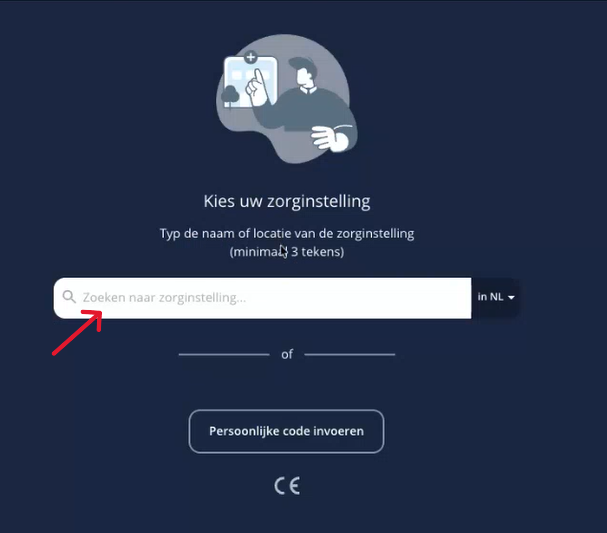
  • Open de app en selecteer uw zorginstelling.
  • Zainstaluj aplikację.

1. Pobierz aplikację Patient Journey

  • Ga naar de AppStore of Google Play en zoek op ‘Patient Journey App´.
  • Pobierz aplikację Patient Journey.

Czy potrzebujesz więcej wyjaśnień na temat pobierania aplikacji?
Następnie kliknij poniżej:

Instytucje ogólne

Cyfrowa samopomoc
Zobacz temat

2. Uw zorginstelling selecteren

  • Otwórz aplikację.
  • Type in de zoekbalk uw zorginstelling.

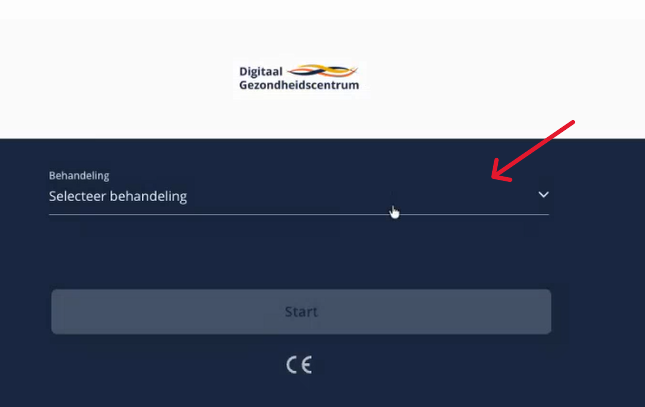
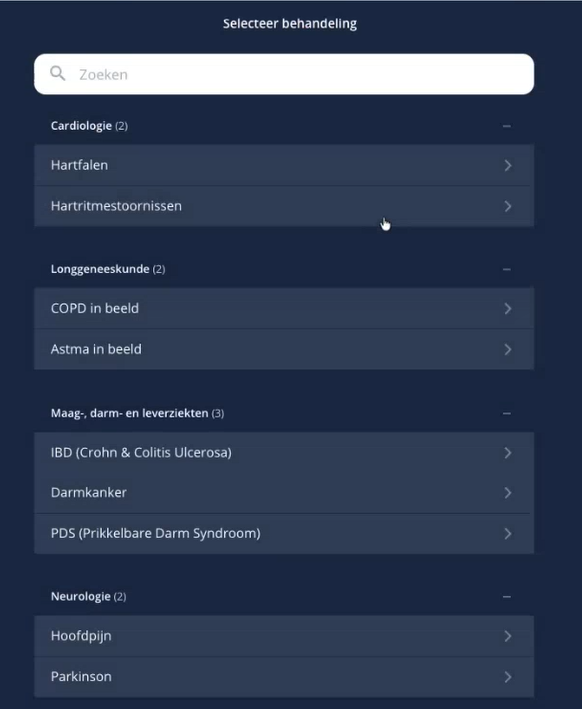
3. Uw behandeling selecteren

  • Kliknij na '‘Selecteer behandeling‘'.

  • Kies uw behandeling.

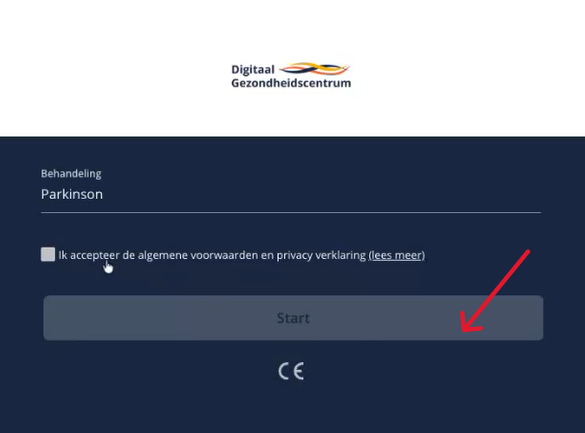
4. Instalowanie aplikacji Patient Journey

  • Zaakceptuj regulamin.
  • Kliknij na '‘Start‘'.

5. Masz już konto

Masz teraz konto w aplikacji Patient Journey.