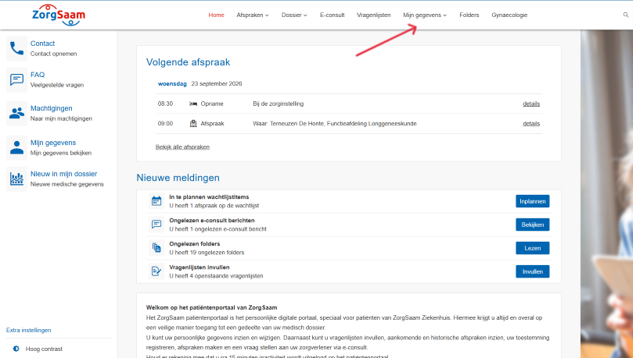
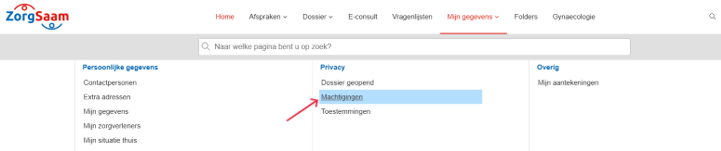
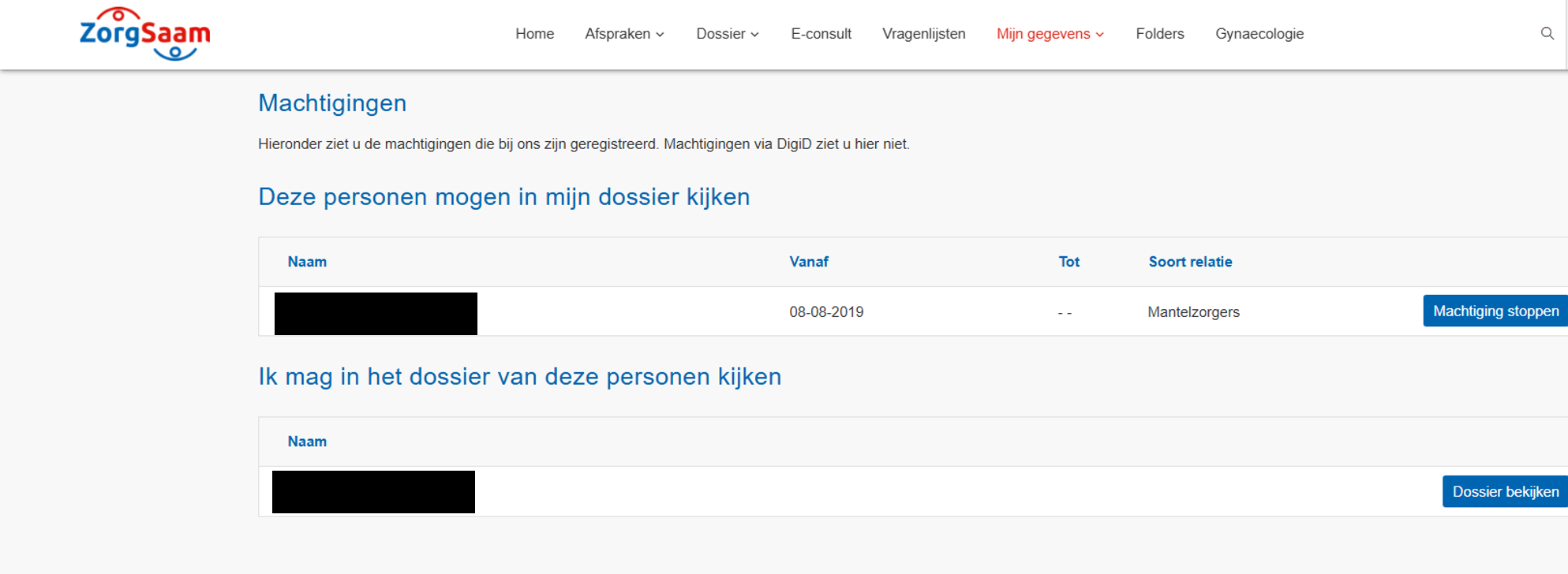
Maison / sujets / Portail patient ZorgSaam / Comment puis-je consulter mes autorisations sur le portail patient ZorgSaam ? Comment puis-je consulter mes autorisations sur le portail patient ZorgSaam ? Lit à voix haute Translate Imprimer Partager WhatsApp E-mail Les étapes en bref Log in op het Portail patient ZorgSaam. Allez à '‘Mes détails‘. Bekijk wie gemachtigd is om uw gegevens in te zien. 1. se connecter Lisez les explications concernant la connexion via Internet. 2. Accédez à vos coordonnées Cliquez sur ´Mes détails´. Agrandir 3. Uw machtigingen bekijken Cliquez sur ´Machtigingen´. Agrandir Bekijk uw machtigingen. Agrandir Questions fréquemment posées sur le ZorgSaam Patiëntenportaal Comment remplir un questionnaire via le portail patient ZorgSaam ? Comment puis-je mettre à jour mes informations sur le portail patient ZorgSaam ? Comment puis-je donner à quelqu'un l'accès au portail patient ZorgSaam ou consulter le dossier de mon enfant ? Comment puis-je modifier mes autorisations dans le portail patient ZorgSaam ? Comment démarrer une consultation vidéo via le portail patient ZorgSaam ? Comment puis-je me connecter au portail patient ZorgSaam ? Comment prendre rendez-vous sur le portail patient de ZorgSaam ? Comment puis-je consulter mon rendez-vous sur le portail patient de ZorgSaam ? Comment puis-je reporter ou annuler mon rendez-vous sur le portail patient de ZorgSaam ? Comment puis-je demander le renouvellement d'une ordonnance via le portail patient ZorgSaam ? Comment puis-je télécharger mon dossier médical depuis le portail patient ZorgSaam ? Comment puis-je démarrer une téléconsultation via le portail patient ZorgSaam ?