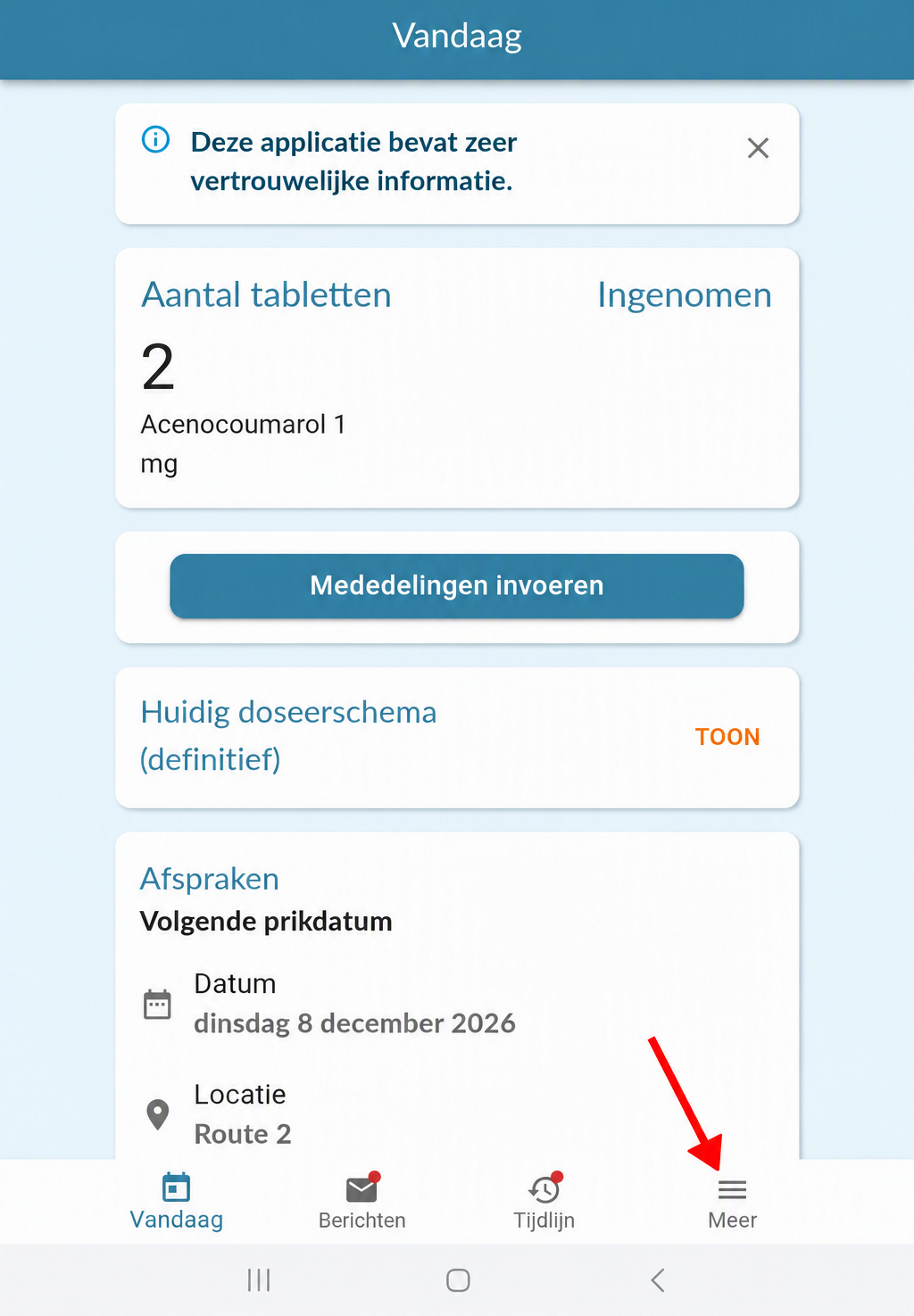
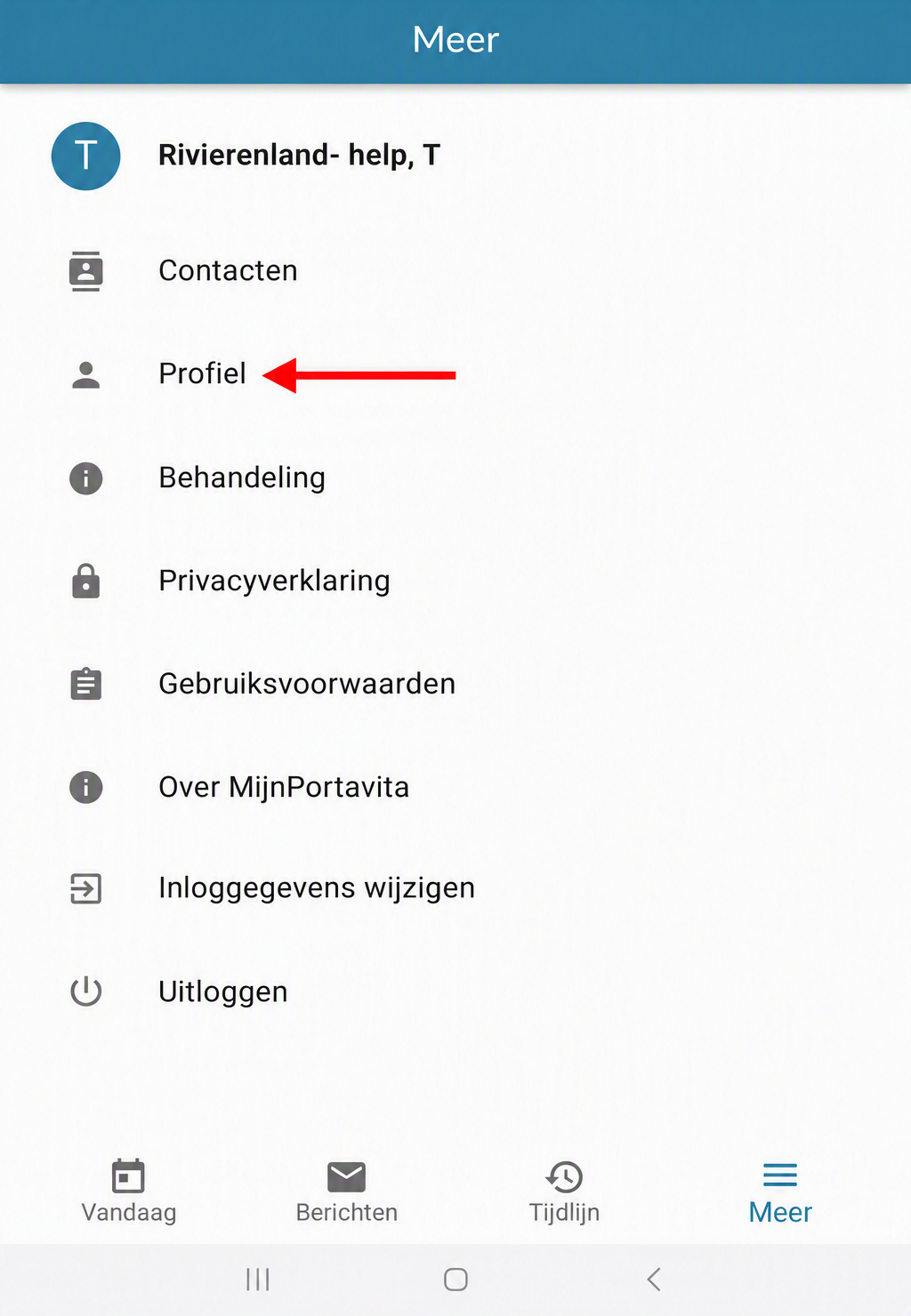
Home / Subjects / MyPortavita / How do I view my thrombosis pass in MyPortavita? How do I view my thrombosis pass in MyPortavita? Voorlezen Translate Printen Delen WhatsApp E-mail Steps in brief Log in to MijnPortaVita. Go to '‘Profile‘'. Bekijk uw trombosepas. 1. login Hulp nodig met inloggen? Read the explanation about logging in via the internet. Read the explanation about logging in via the app. 2. Go to your profile Click on '‘More‘'. Vergroot Click on '‘Profile‘'. Vergroot 3. Bekijk uw trombosepas U ziet nu uw trombosepas. Een medewerker kan de pas scannen als dat nodig is. Frequently asked questions about MijnPortavita How do I log in to MyPortavita via the internet? How do I log in to MijnPortavita via the app? How do I view the contact details of the thrombosis service in Mijnportavita? How do I create a message in MyPortavita? How do I view my treatment in MyPortavita? How do I enter a message in MyPortavita?