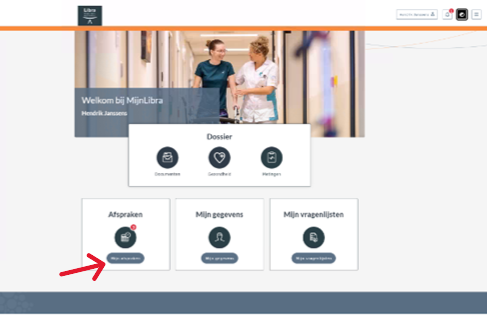
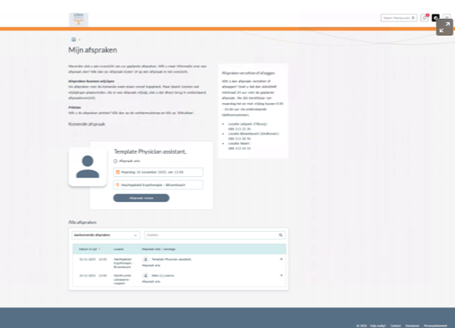
Home / Subjects / MyLibra / How do I view my appointments in MyLibra? How do I view my appointments in MyLibra? Voorlezen Translate Printen Delen WhatsApp E-mail Steps in brief Log in to MyLibra. Go to '‘Mijn afspraken’. View your appointments. 1. login Click here for an explanation on logging in via the internet. 2. Go to your appointments After logging in, you will see the homepage. Go to '‘Uw afspraken’. Vergroot 3. View your appointments You can now view your appointments. Vergroot Frequently asked questions about MijnLibra How do I download my file via MijnLibra? How do I authorize someone in MyLibra How do I log in to MyLibra?