You can try the following:
- Check the spelling
- Try another search

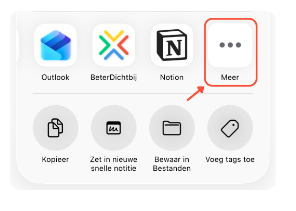
You can photos, PDFs and data from other apps share with your healthcare provider via the BeterDichtbij app on your phone.
For safety reasons, it is not possible to a Excel or Word file to share via BeterDichtbij.
It works like this:
Is the BeterDichtbij app not in the first overview of apps? Swipe the apps to the left and tap More. Then search for the BeterDichtbij app.
Having trouble? Please contact us. We are happy to help you.