You can try the following:
- Check the spelling
- Try another search

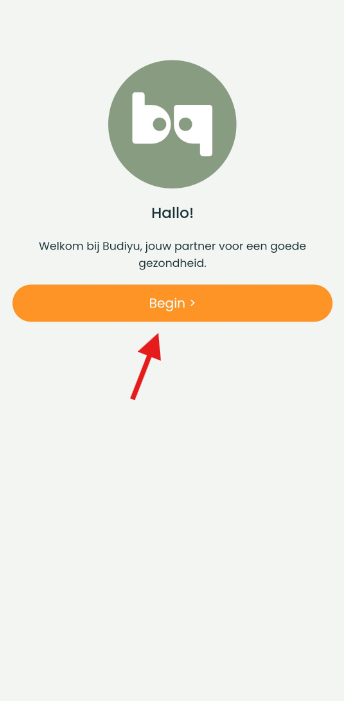
Download the app and open it. Then press 'Get started'.
A chat is then started. This chat is with the app itself. In this chat you can go through the registration process.
Now first choose your country.
click on 'No' if you don't have an account yet. click on 'Yes' if you already have an account and want to log in.
If you prefer 'Yes' If you choose, you will see a login page and you can log in with your username and password
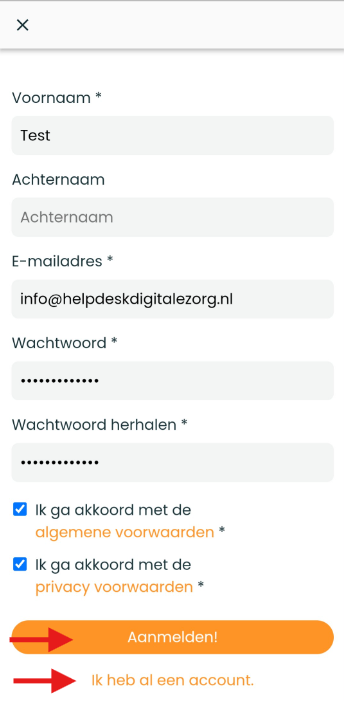
If you choose no, you can opt out afterwards 'Create an account' click.
Fill in your details and click 'To register'. You will now receive an email to confirm your email address. Open your email and click 'Confirm my email address'.
If you have your email open on your phone, you will be sent directly to the login page.
If you did this via the computer, you must restart the app and this time indicate that you already have an account.
Log in with your email address and username.
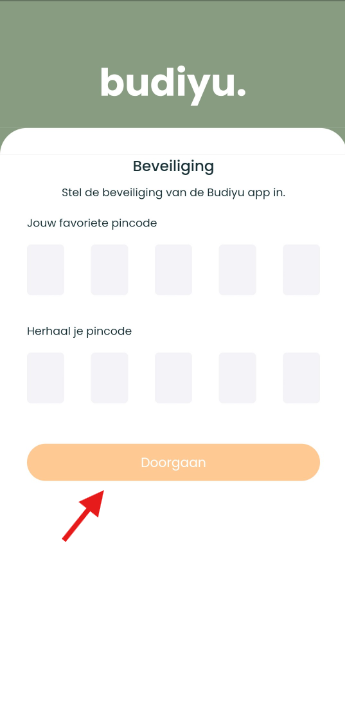
Since this is your first time logging in, you will need to create a PIN to use the app.
You do not have to log in again every time.
You must now first give or deny permission to allow the app to send messages.
You will now be given the option to complete your profile.
But if you don't want this, you can opt out 'I will complete my profile later' to push.