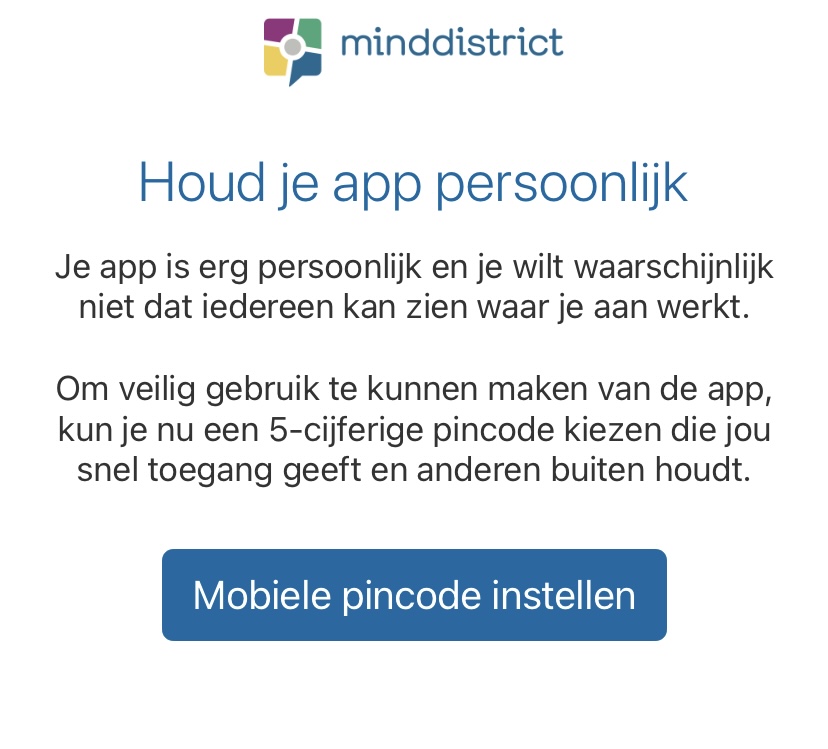
Home / Subjects / Minddistrict / How do I log in to Minddistrict via the app? How do I log in to Minddistrict via the app? Voorlezen Translate Printen Delen WhatsApp E-mail Steps in brief Search your app store for '‘Minddistrict‘and install the app. Log in via a QR code or with your email address. Choose your personal login code. Check out Minddistrict. 1. Install Minddistrict Go to the App Store or Google Play Store and search for '‘Minddistrict‘'. Download the free app. 2. Open the app Tap the app icon to open the app. 3. Choose how you want to log in Log in via a QR code or with your email address. Vergroot Log in via the QR code Choose '‘Log in with QR code'. Vergroot Log in to the website of Minddistrict. Go to your profile and select ‘Log in with QR code’. Open the QR code. Scan the QR code with your phone. Vergroot Log in with email address Choose '‘Log in with email'. Enter your email address and password. These are the same login details as for the Minddistrict platform. Choose a 5-digit PIN code. The PIN code may not be: 5 identical numbers, such as 00000 A descending/ascending series, such as 12345 / 54321 Vergroot Vergroot 4. You're logged in You are now viewing the homepage of Minddistrict. You can fill in your diary, get in touch, and view your data. Vergroot Frequently asked questions about Minddistrict How do I change the language in Minddistrict? How do I get a Minddistrict account? How do I log in to Minddistrict online? What can I do with Minddistrict? How can I create an account for a loved one? How can I make video calls via Minddistrict? How do I share my screen during video calling via Minddistrict? How can I delete my Minddistrict account? I can no longer log in, what can I do? I have multiple Minddistrict accounts at different organizations, how does that work? How can I make video calls via the Minddistrict app? How do I turn Minddistrict notifications on or off?