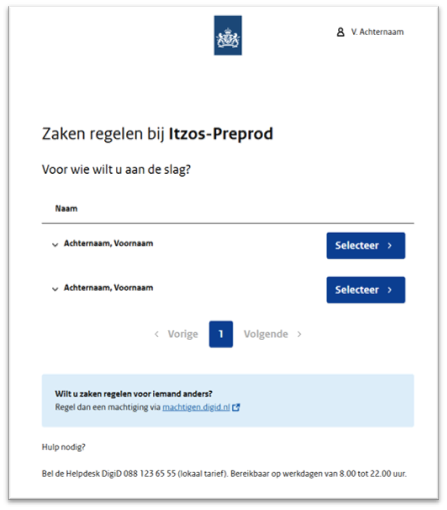
Home / Subjects / mQ Client / How do I log in to mQ-Cliënt as a relative? How do I log in to mQ-Cliënt as a relative? Voorlezen Translate Printen Delen WhatsApp E-mail Steps in brief Request an authorization from DigiD. Log in to the healthcare institution as an authorized representative. 1. Request DigiD authorization Go to DigiD Authorization↗. Click on 'To be authorized'. Request the authorization. Wait for approval. Click on the topic below for more information: DigiD Authorization Permission 2. Log in as an authorized representative Go to the healthcare institution's page. Click on '‘Log in to mQ-Client‘'. Choose '‘Log in as authorized representative‘'. Choose who you want to work for. Vergroot Frequently asked questions about mQ-Cliënt How can I change my details in mQ-Client? Is there an mQ-Client app? Where can I find my E-health modules in mQ-Client? How can I log in to mQ-Client? How do I make an appointment in mQ-Client? How can I view my file in mQ-Client? How can I change/cancel my appointment in mQ-Client?