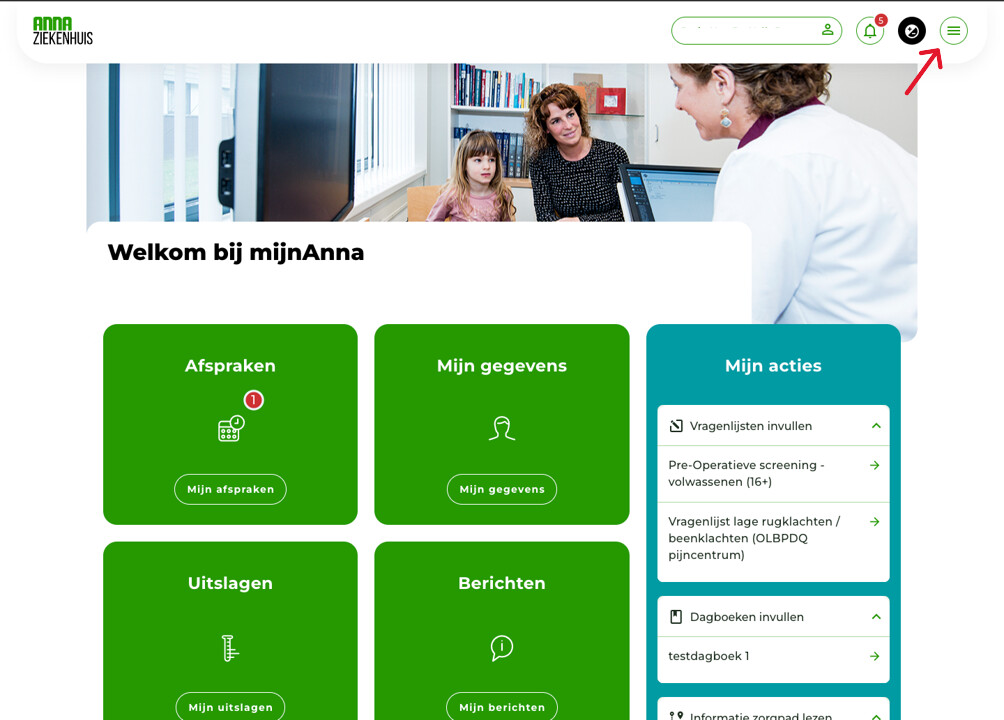
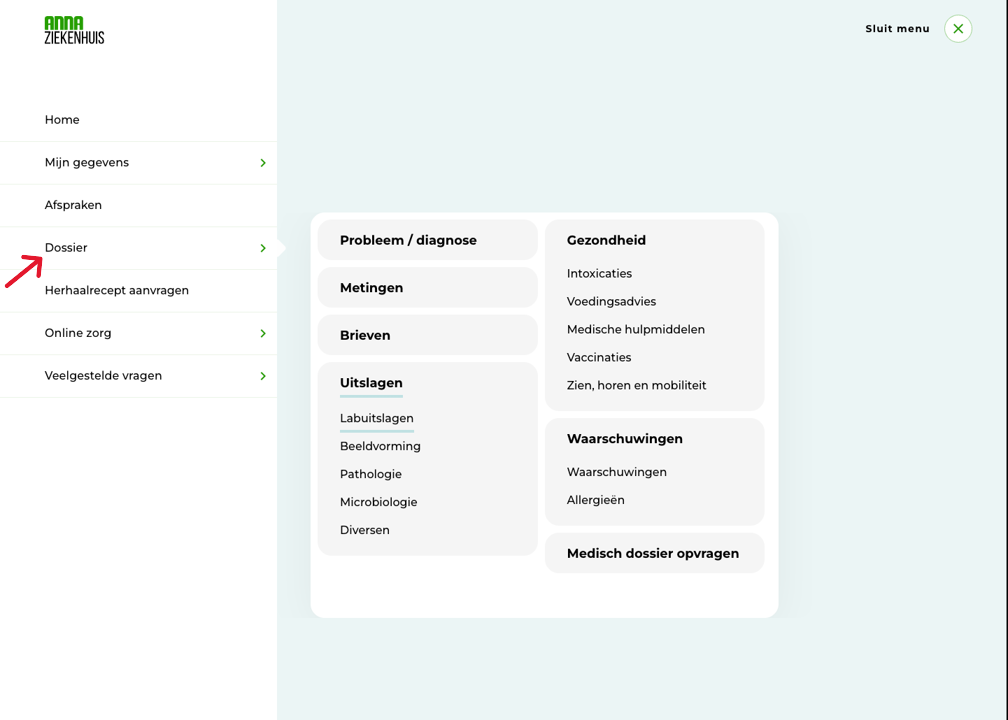
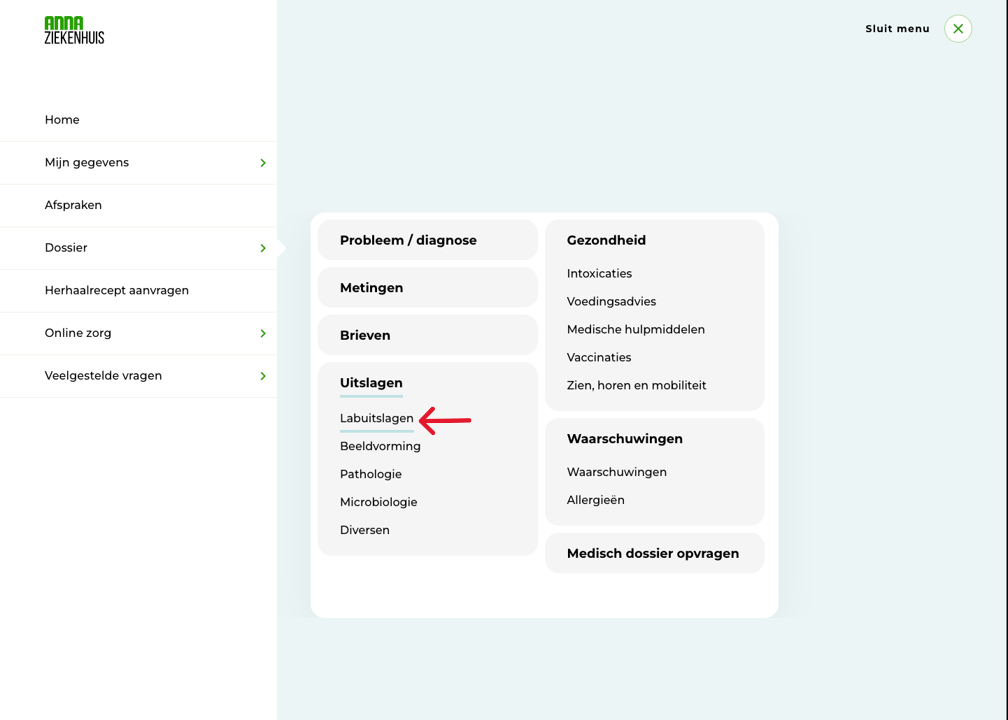
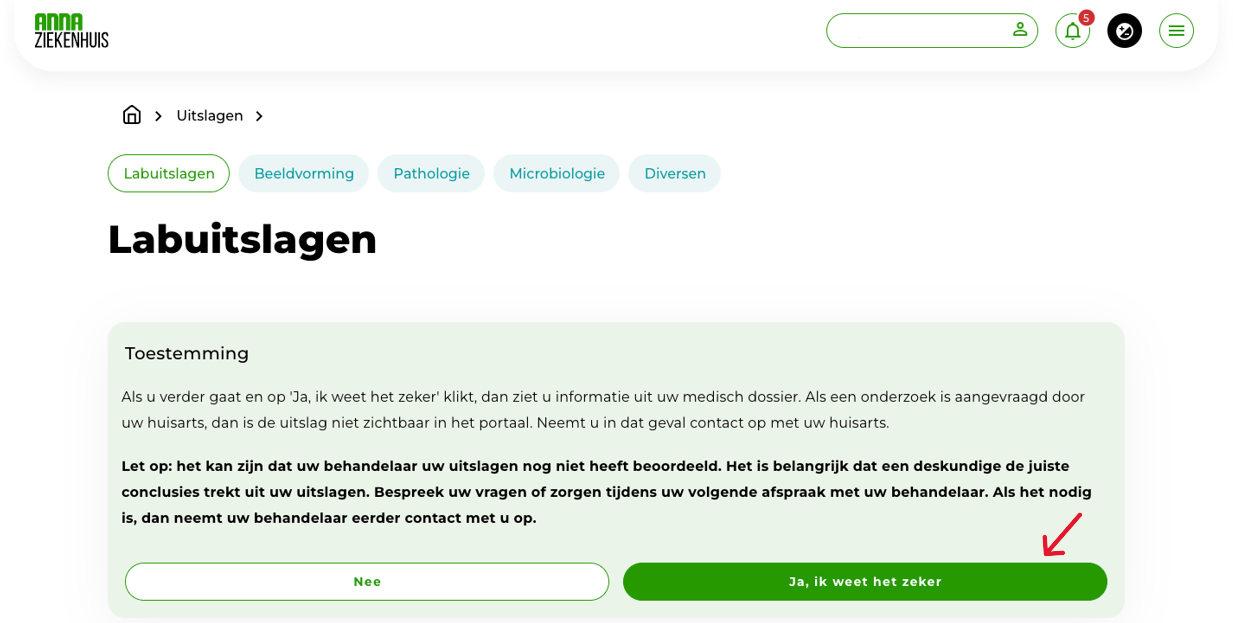
Home / Subjects / myAnna / How do I view my lab results in myAnna? How do I view my lab results in myAnna? Voorlezen Translate Printen Delen WhatsApp E-mail Steps in brief Log in to myAnna. Go to ´Lab results‘'. Give permission. View your lab results. 1. login Click here for an explanation on logging in via the internet. Click here for an explanation on logging in via the app. 2. Go to your lab results After logging in, you will see the homepage. Open the menu. Vergroot Click on '‘File‘'. Vergroot Click on '‘Lab results‘'. Vergroot 3. Authorize Click on '‘Yes, I am sure‘to give permission. Vergroot 4. View your lab results You can now view your lab results. Frequently asked questions about mijnAnna How do I log in to myAnna via the internet? How do I log in to myAnna via the app? How do I see my appointments in myAnna? Can I change my details via myAnna?