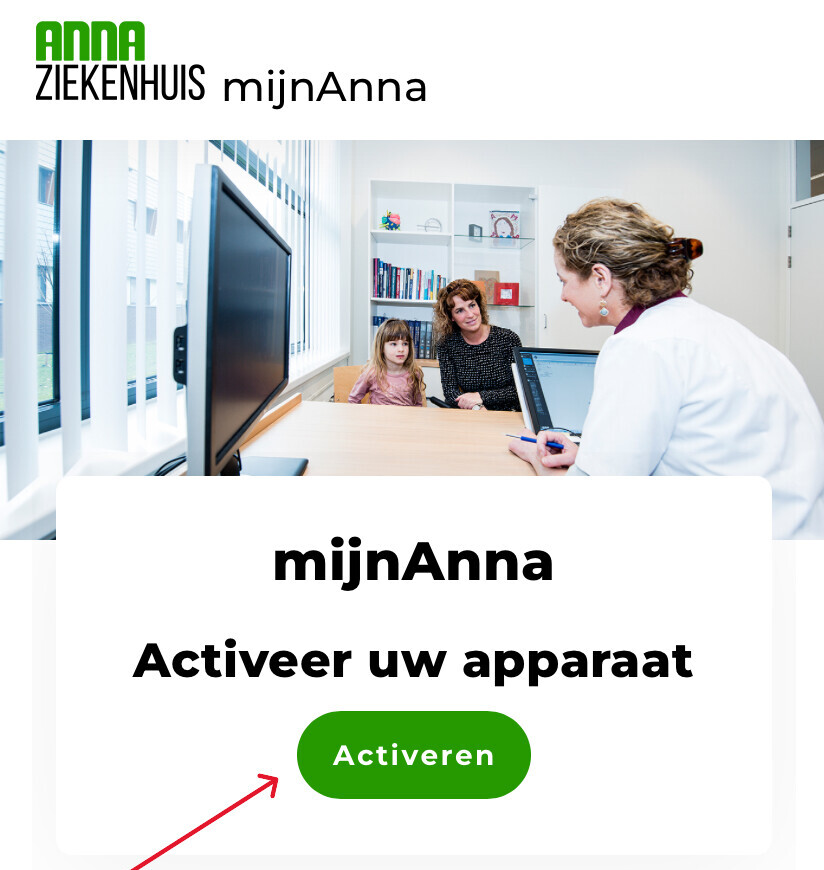
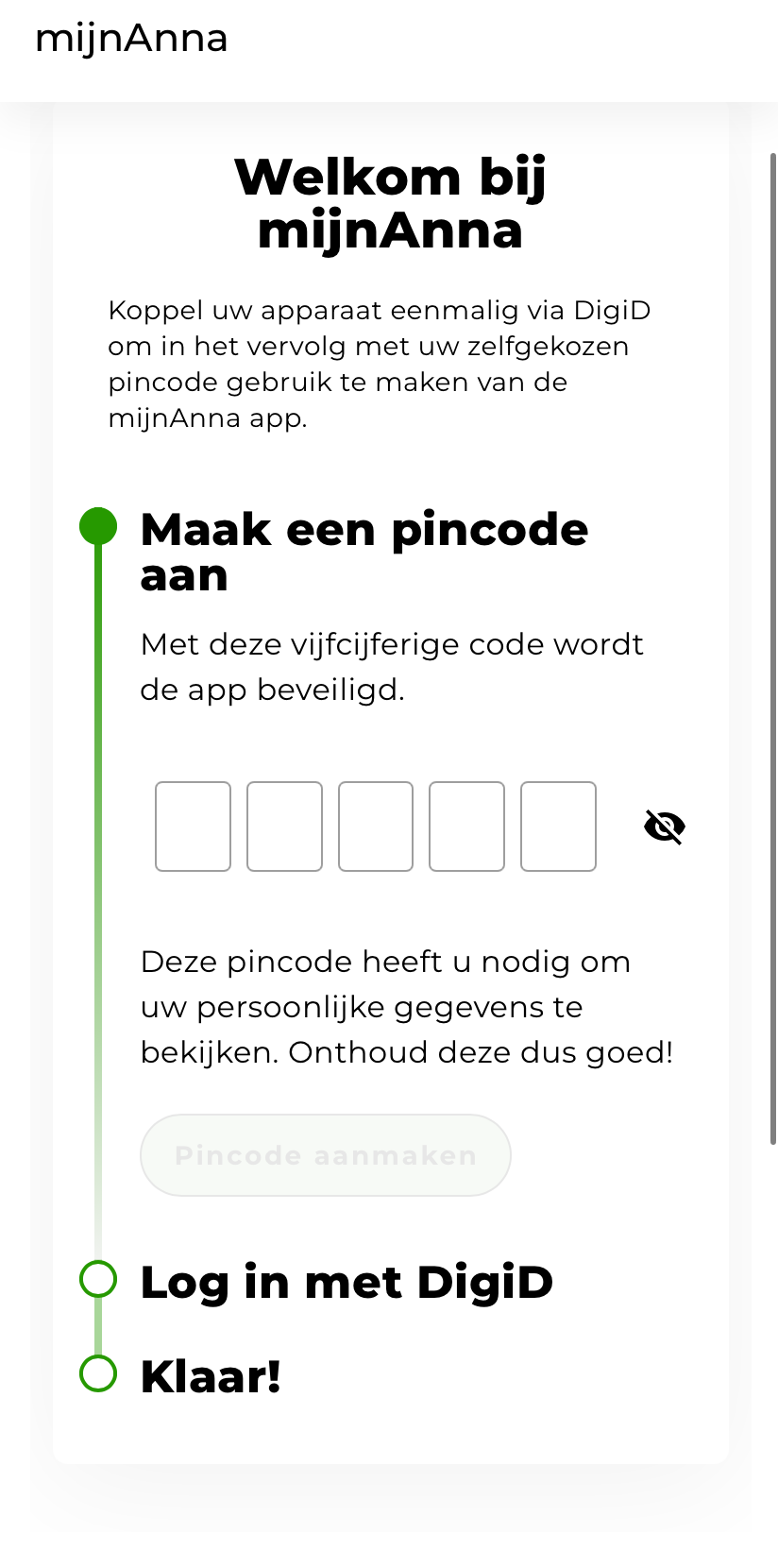
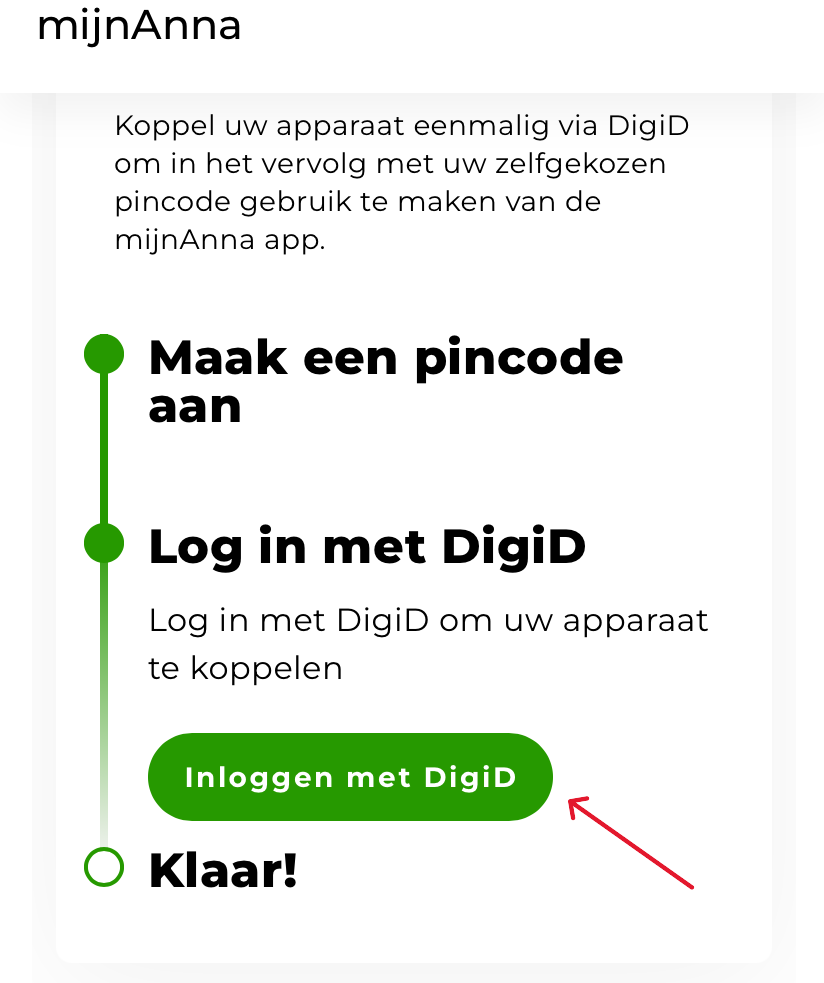
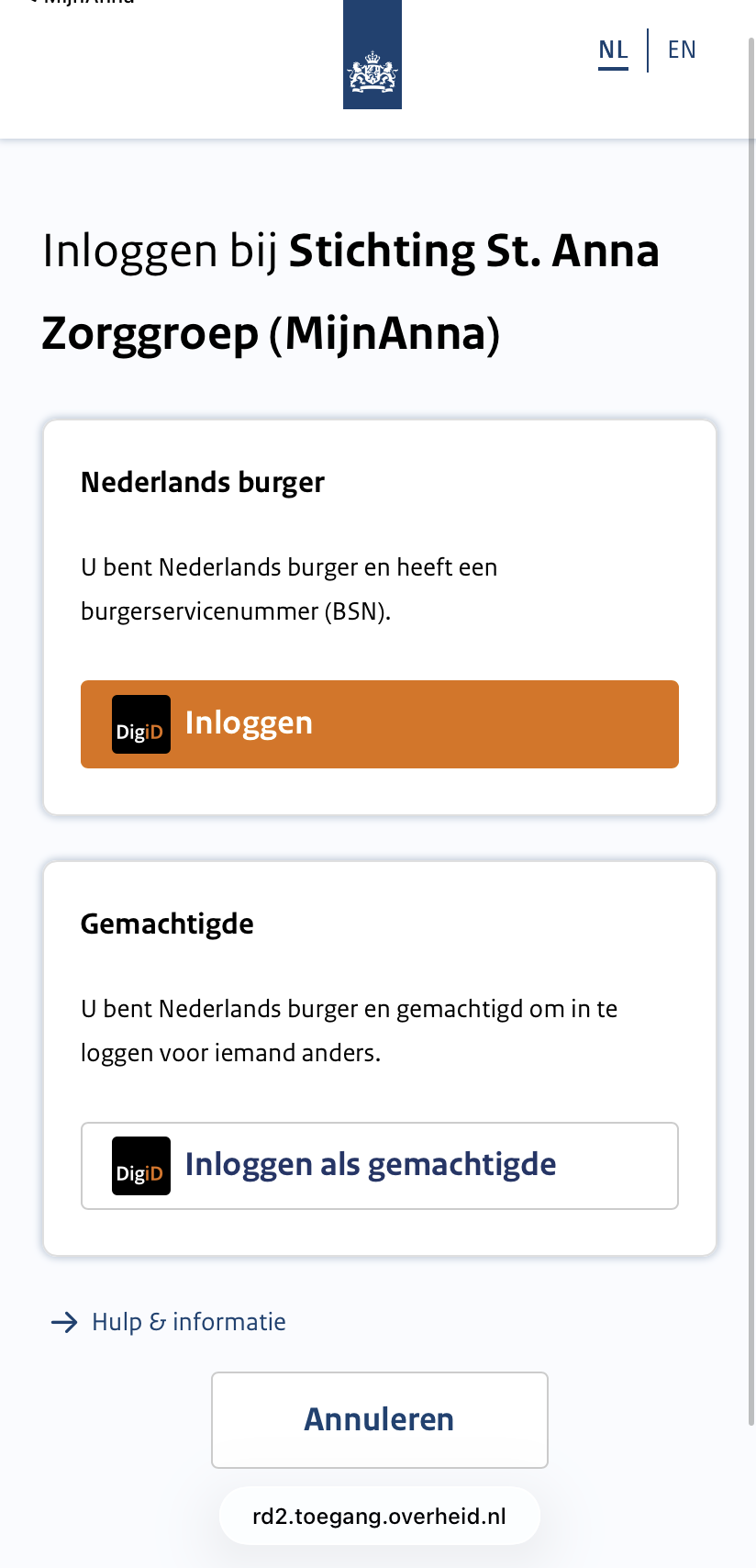
Home / Subjects / myAnna / How do I log in to myAnna via the app? How do I log in to myAnna via the app? Voorlezen Translate Printen Delen WhatsApp E-mail Steps in brief Search your app store for myAnna and install the app. Activate your device. Create a PIN code. Log in with DigiD. Look at myAnna. 1. Install myAnna Go to the App Store or Google Play and search for ´myAnna´. Download the free app. 2. Activate your device Tap on the App icon to open the app. Click on ´Activate´. Vergroot 3. Create a PIN code Create a PIN code. Choose a 5-digit code. Vergroot 4. login Click on ´Log in with DigiD´. Vergroot 5. Choose how you want to log in Choose to log in for yourself or as an authorized representative. Vergroot You can now log in with DigiD in various ways. – With an SMS check – With the DigiD app – With your driver's license or identity card Click on an option to view the explanation. Vergroot 6. You're logged in You are now viewing the homepage of myAnna. Frequently asked questions about mijnAnna How do I log in to myAnna via the internet? How do I see my appointments in myAnna? How do I view my lab results in myAnna? Can I change my details via myAnna?