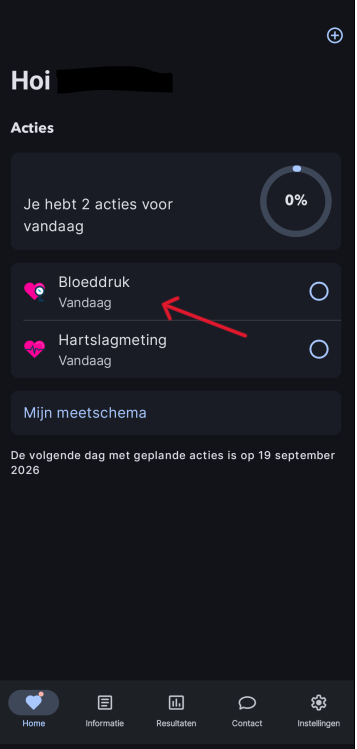
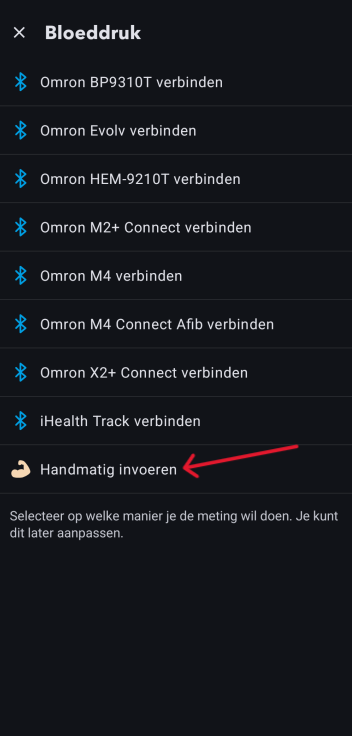
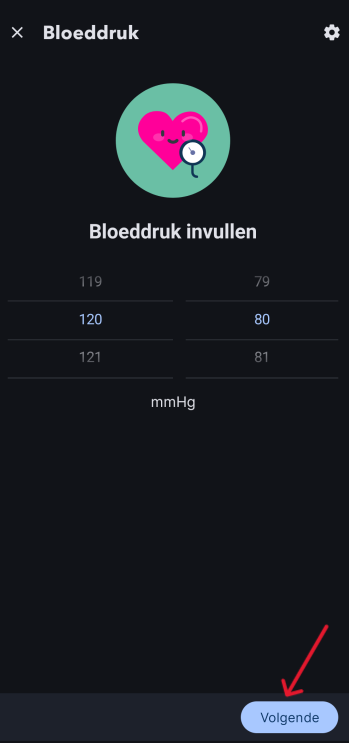
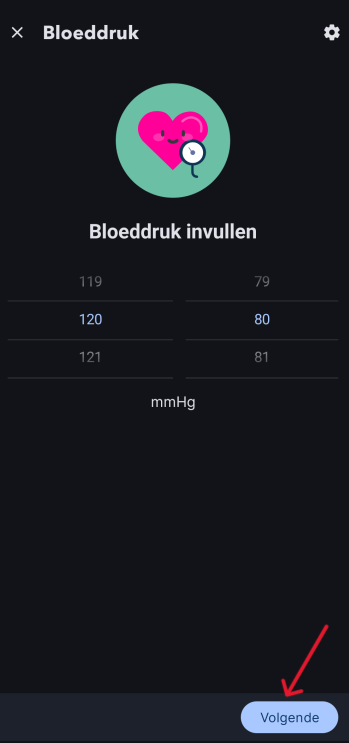
Home / Subjects / Home monitoring - Remote care (Luscii) / How do I manually add a blood pressure measurement to the Thuismeten – Zorg op afstand (Luscii) app? How do I manually add a blood pressure measurement to the Thuismeten – Zorg op afstand (Luscii) app? Voorlezen Translate Printen Delen WhatsApp E-mail Steps in brief Log in to Home monitoring – Remote care (Luscii). Go to '‘Blood pressure'’. Enter the measurement. 1. login Read an explanation about logging in via the app here. 2. Go to your blood pressure Click on '‘Blood pressure‘'. Vergroot 3. Enter your measurement Click on '‘Manual entry‘'. Vergroot Enter your blood pressure. Click on '‘Next‘'. Vergroot Check your measurement. Click on '‘Finished‘'. Vergroot Frequently asked questions about Thuismeten - Zorg op afstand (Luscii) I received an email from Luscii stating 'Your actions for today have not yet been filled in'. What should I do? Why is my measurement schedule in Luscii different than I expected? I am no longer receiving notifications from Luscii. What can I do? How do I log in to the Thuismeten – Zorg op afstand (Luscii) app? How can I sign up for the Thuismeten – Zorg op afstand (Luscii) app?