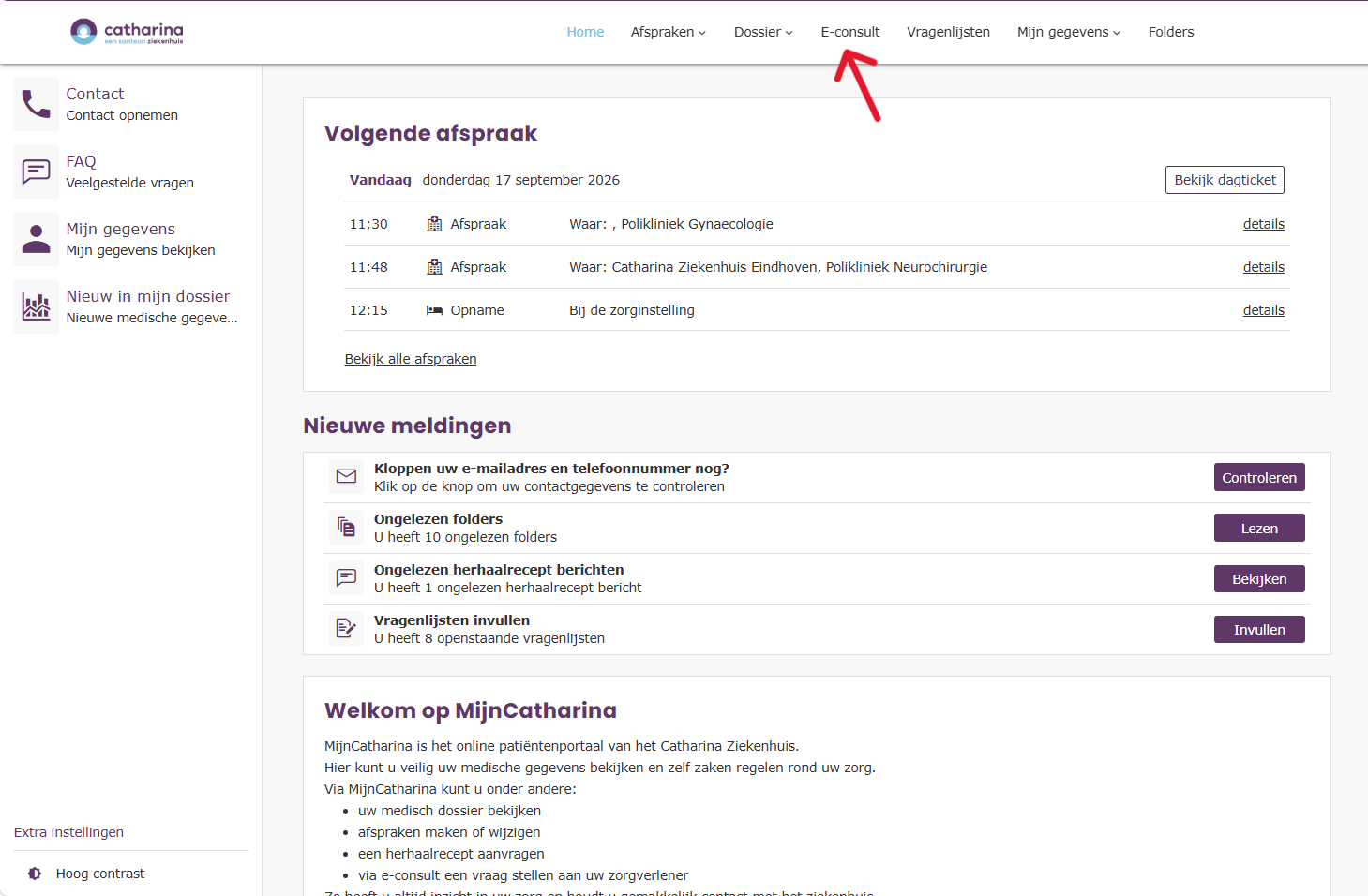
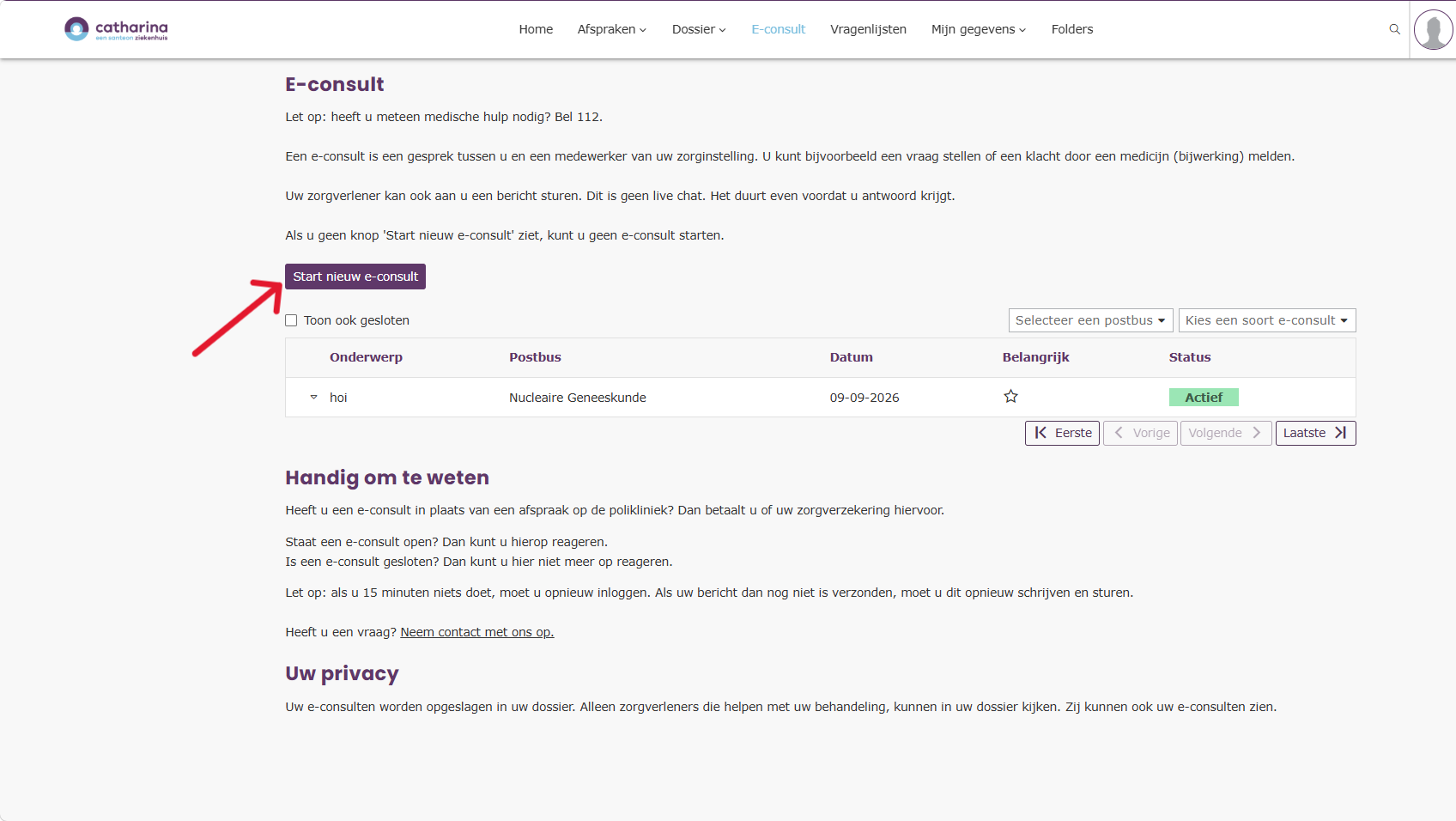
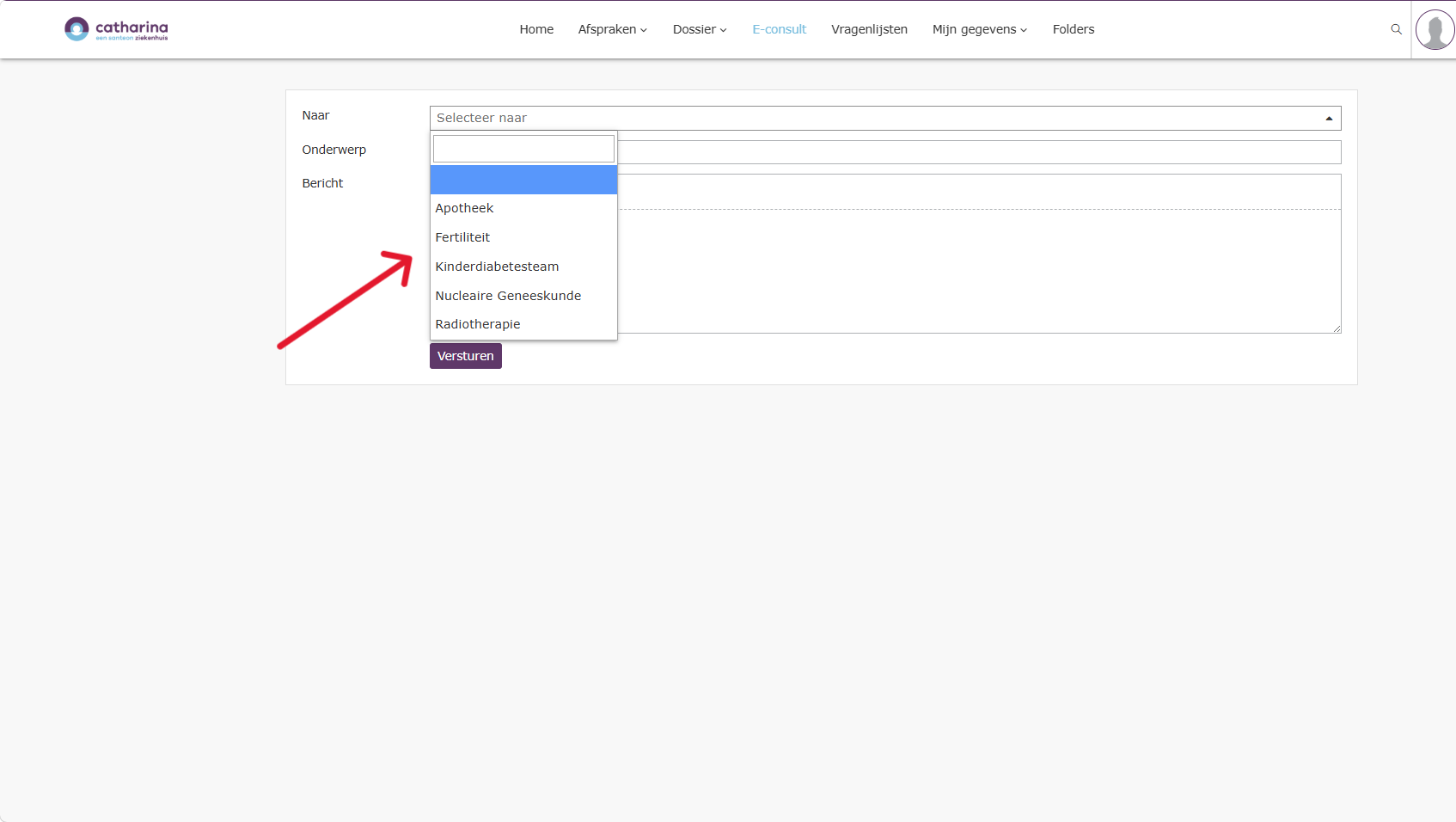
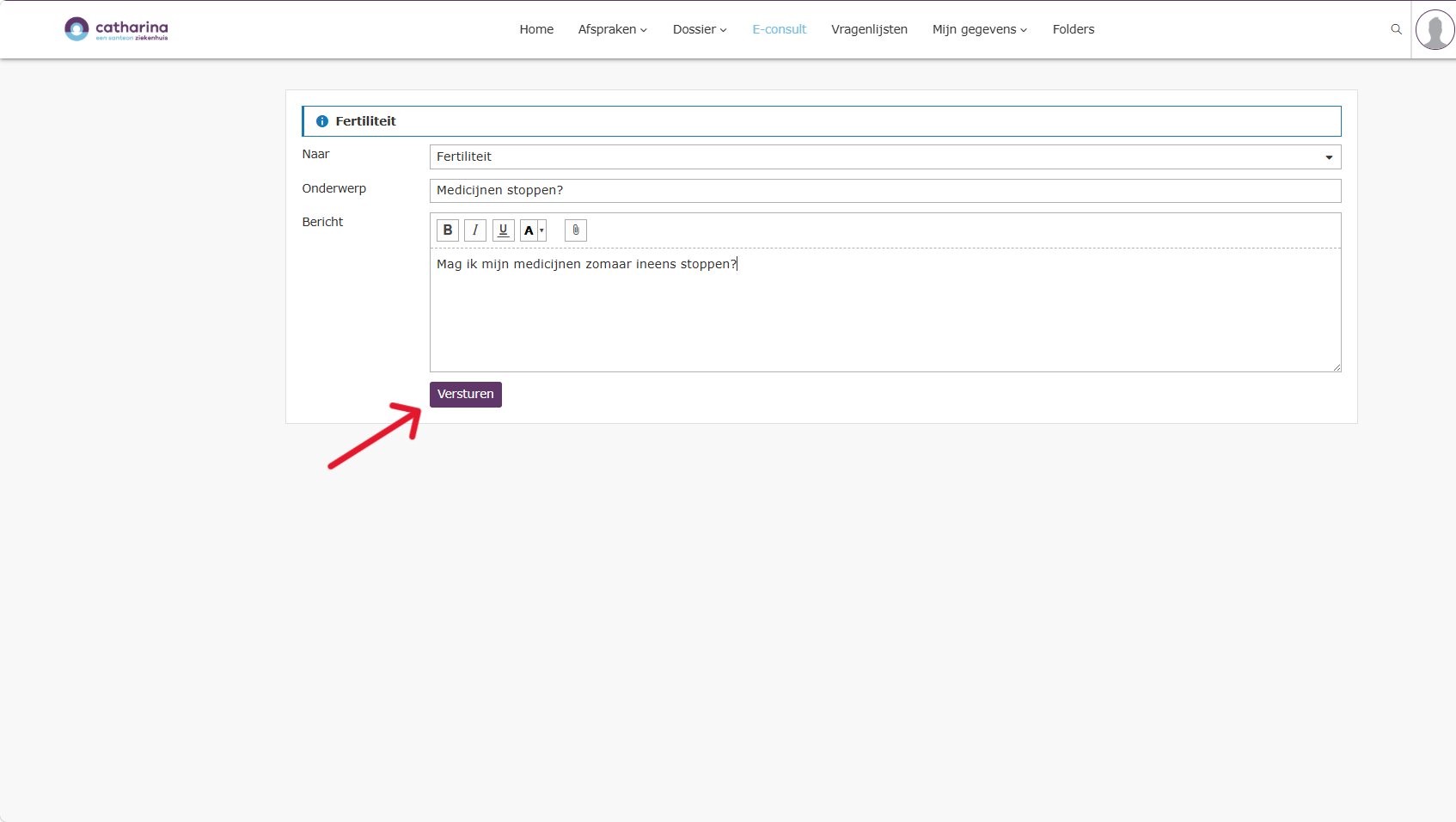
Home / Subjects / My Catharina / How do I start an e-consultation in MijnCatharina? How do I start an e-consultation in MijnCatharina? Voorlezen Translate Printen Delen WhatsApp E-mail Steps in brief Log in to My Catharina. Go to '‘E-consult‘'. Start an e-consultation. 1. login Click here for an explanation about logging in via the internet.. Click here for an explanation on logging in via the app. 2. Go to E-consult Click on '‘E-consult‘'. Vergroot 3. Start an e-consultation Click on '‘Start an e-consultation‘'. Vergroot Choose to which healthcare provider you want to send the e-consultation. Vergroot Enter your message. Click on '‘To steer‘'. Vergroot Frequently asked questions about MijnCatharina How do I fill out a questionnaire via MijnCatharina? How do I view my brochures in MyCatharina? How do I start a video consultation in MijnCatharina? How do I request a repeat prescription via MijnCatharina? How do I log in to myCatharina via the internet? How do I log in to MijnCatharina via the app (HiX Patient)? How can I give someone access to MijnCatharina or view my child's file? How do I view my lab form in MyCatharina? How do I view my appointments in MyCatharina? How do I view my lab results in MijnCatharina?