Ga naar de homepagina
The text on this page is translated automatically. Show in original language

How do I log in to myCatharina via the internet?

Steps in brief

  • Go to MCatharina.
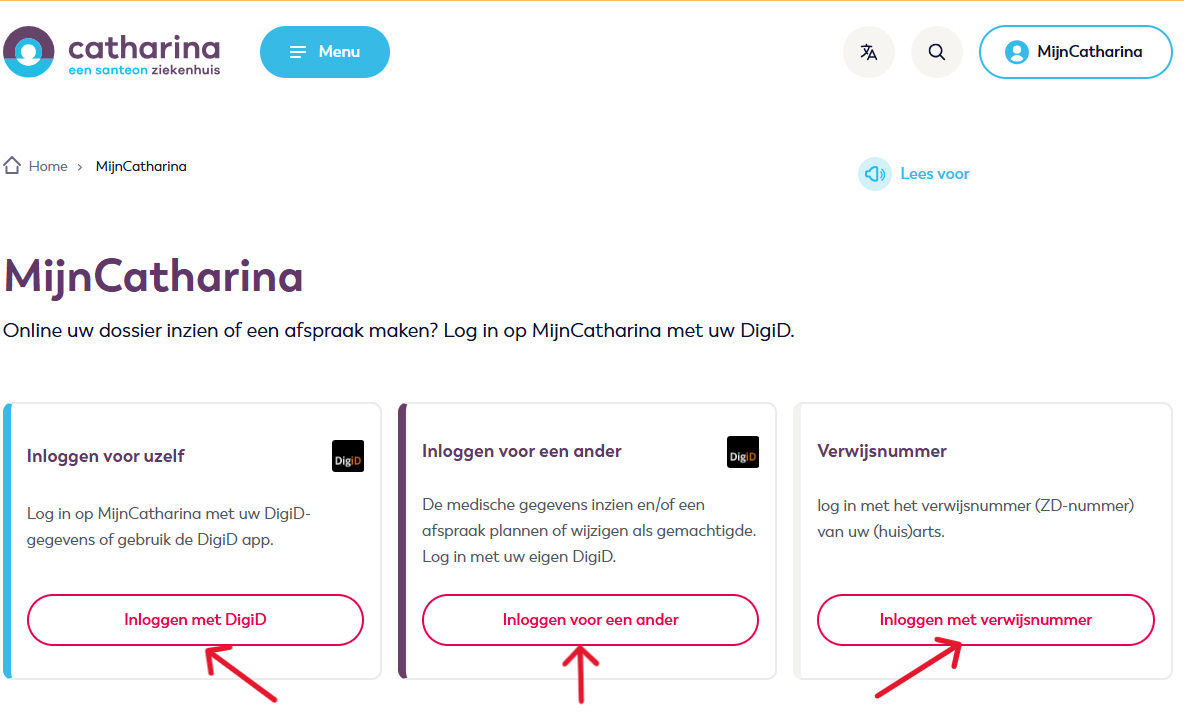
  • Click on 'Log in with DigiD'.
  • Log in with DigiD or referral number and enter your details.
  • Look at MCatharina.

1. Go to MyCatharina

Open My Catharina↗.

2. login

  • Click on '‘Log in with DigiD‘', '‘Log in for someone else‘' or '‘Log in with referral number’.

3. Choose how you want to log in

You can log in with DigiD in various ways:

Click on the login method you would like to read more about.
You can also log in with a referral number.

4. You're logged in

You are now viewing the MyCatharina homepage.

Having trouble logging in? Please contact us.