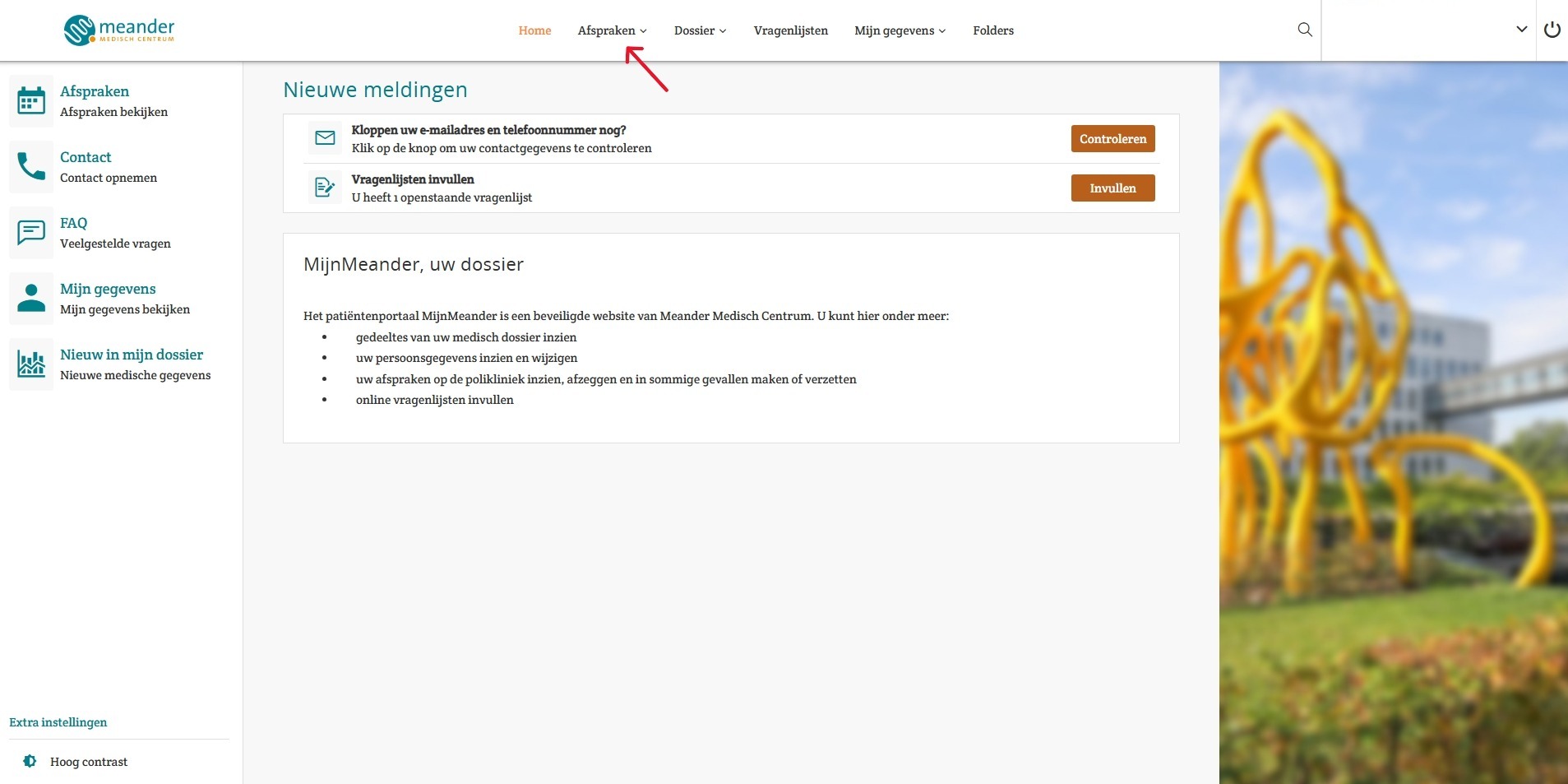
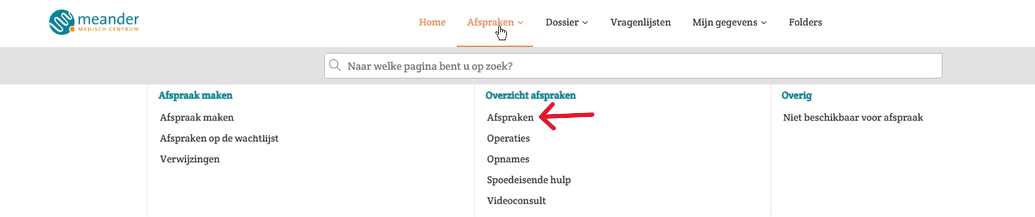
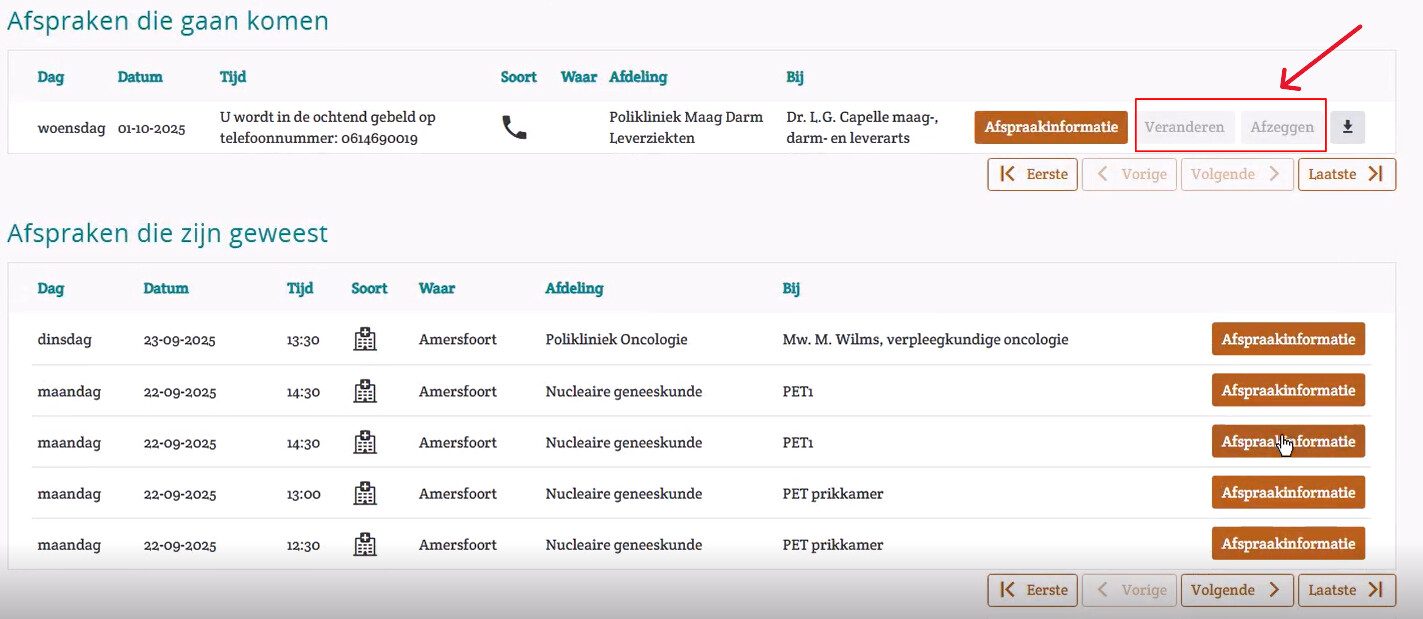
Home / Subjects / MyMeander / Can I reschedule or cancel my appointment in MijnMeander? Can I reschedule or cancel my appointment in MijnMeander? Voorlezen Translate Printen Delen WhatsApp E-mail Steps in brief Log in to MyMeander. Go to '‘Dates'. Look under '‘Upcoming appointments’You can reschedule or cancel an appointment there if possible. 1. login Read the explanation about logging in via the internet. Read the explanation about logging in via the app. 2. Go to your appointments Click on '‘Dates‘'. Vergroot Click on ' again‘Dates‘'. Vergroot 3. Change or cancel your appointment Under '‘Upcoming appointments’You can view the agreements you have made. If possible, you can make the appointment move or cancel. Click on 'Move’ of ‘Afzeggen'. Vergroot Frequently asked questions about MijnMeander How do I request a repeat prescription via MijnMeander? How do I log in to MijnMeander via the app (HiX Patient)? How do I change my details in MijnMeander? How do I log in to MijnMeander online? I cannot log in to MijnMeander. What now? How can I give someone access to MijnMeander or view my child's file? How do I make an appointment in MijnMeander? How can I view my file in MijnMeander? Where can I join my video consultation in MijnMeander? May I record my video consultation in MijnMeander? How do I change my permissions in MijnMeander? How do I check my medication in MijnMeander?