Ga naar de homepagina
The text on this page is translated automatically. Show in original language

Where can I join my video consultation in MijnMeander?

Tip:

Check before your appointment whether you can view the appointment in MyMeander. Ensure that you log in on time and are available for your video consultation.

If you do not cancel the appointment at least 24 hours in advance, you must pay €50. This is called the no-show fee.

You can find more information at: www.meandermc.nl/wegblijftarief.

Steps in brief

  • Log in to MyMeander.
  • Go to '‘Dates‘'.
  • Click on your appointment for the video consultation.
  • The button '‘Participate’' appears 1 hour before your appointment.

2. Start video consultation

  • On the homepage you see ‘Upcoming dates‘'.
  • Click on '‘Start video consultation‘to start the conversation.
  • Click on '‘Appointment information‘for more information about your appointment.

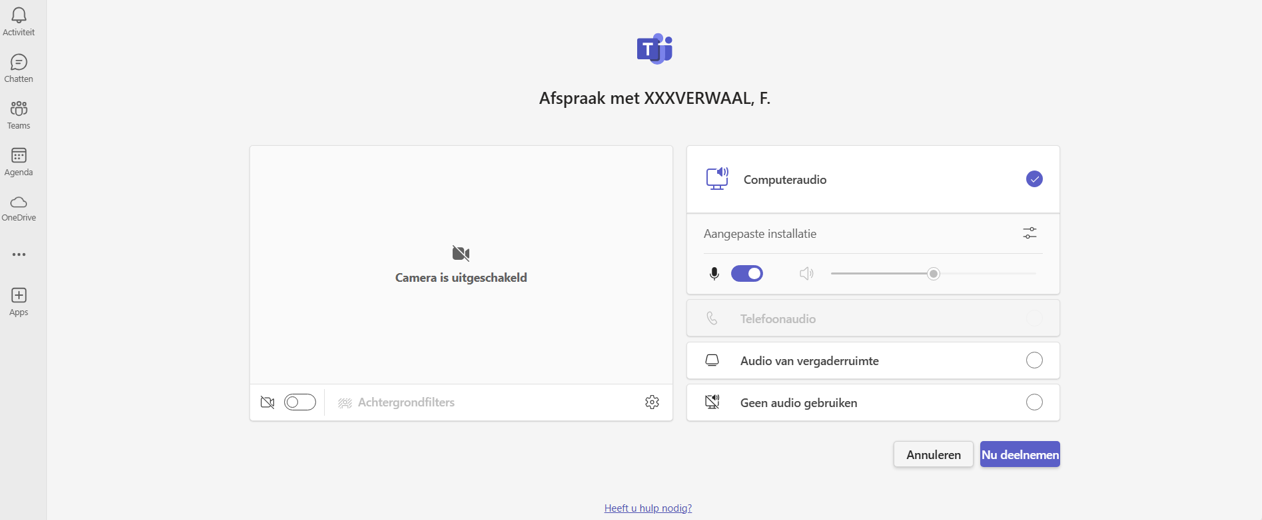
  • Microsoft Teams opens automatically.
  • Click on '‘Join now‘to participate in the video consultation.