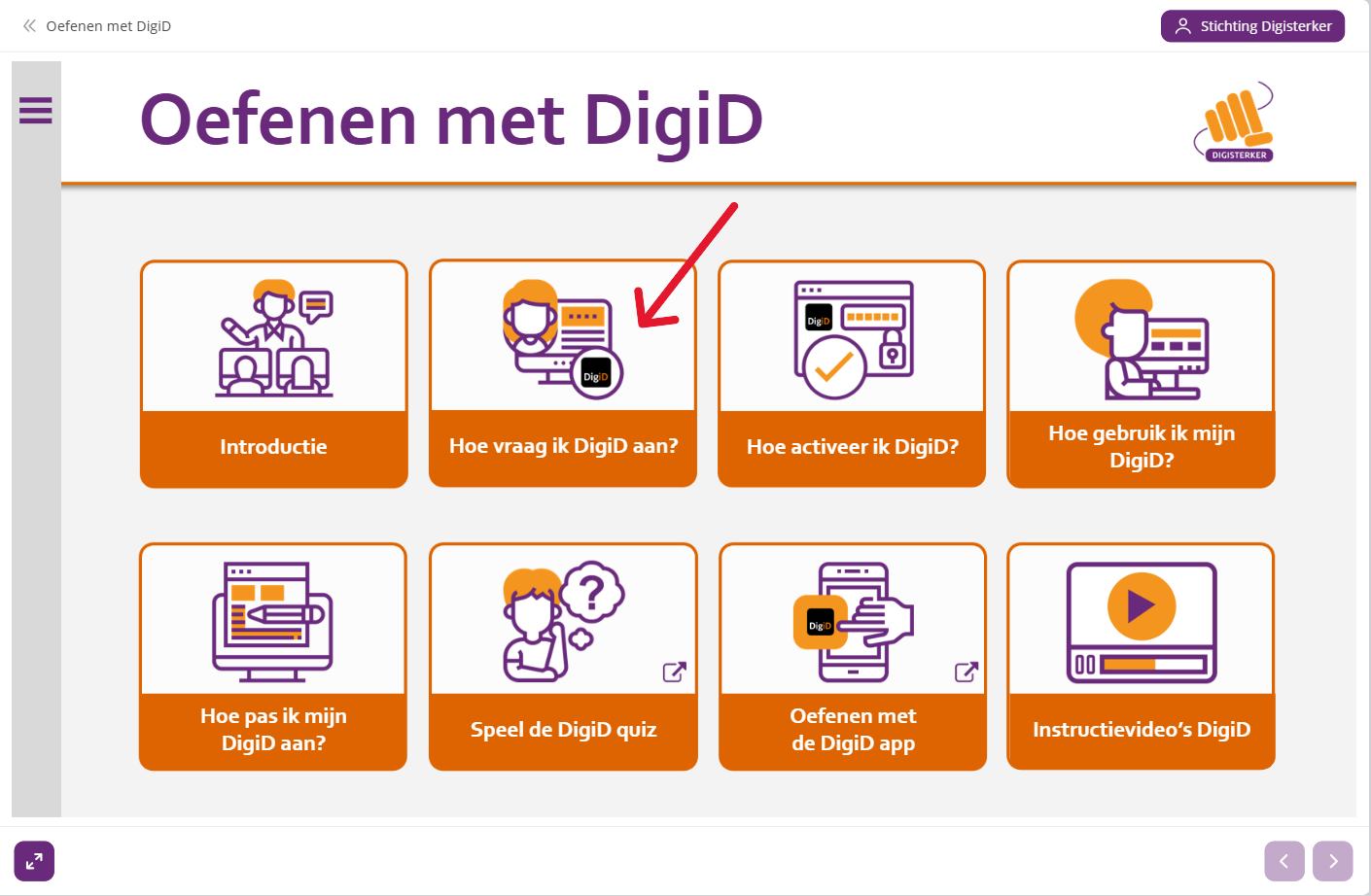
Home / Subjects / DigiD, practice step by step / Practice applying for a DigiD Practice applying for a DigiD Voorlezen Translate Printen Delen WhatsApp E-mail Steps in brief Go to the website Practice with DigiD click on 'How do I apply for DigiD?' Start the excercise Explanation of the buttons During the use of the practice website you will encounter various buttons in return for. On the page: Practice with DigiD – Explanation of buttons become the buttons explained. 1. Go to the website Go to the website Practice with DigiD. Here you can Practice with DigiD. 2. To start You are now on the homepage. click on 'How do I apply for DigiD?' Vergroot 3. To practice Click on the arrow to the right or everywhere on the screen to start. Click on the arrow left if you a step back want. Click everywhere on the screen for the next step. Vergroot Click on the loudspeaker to the explanation at to belong. Vergroot 4. Complete If you a green check mark sees, are you finished with the excercise. Vergroot Click on the arrow bottom right to the next exercise to go. Or click on the house to go back to the homepage. Vergroot Frequently asked questions about DigiD, stap voor stap oefenen Practice updating details in DigiD Practice with DigiD – Explanation of buttons Practice activating DigiD Practice using DigiD Practice with DigiD with explanatory videos Practice installing the DigiD app Practice activating the DigiD app Practice logging in via the DigiD app Practice adding the ID Check in the DigiD app