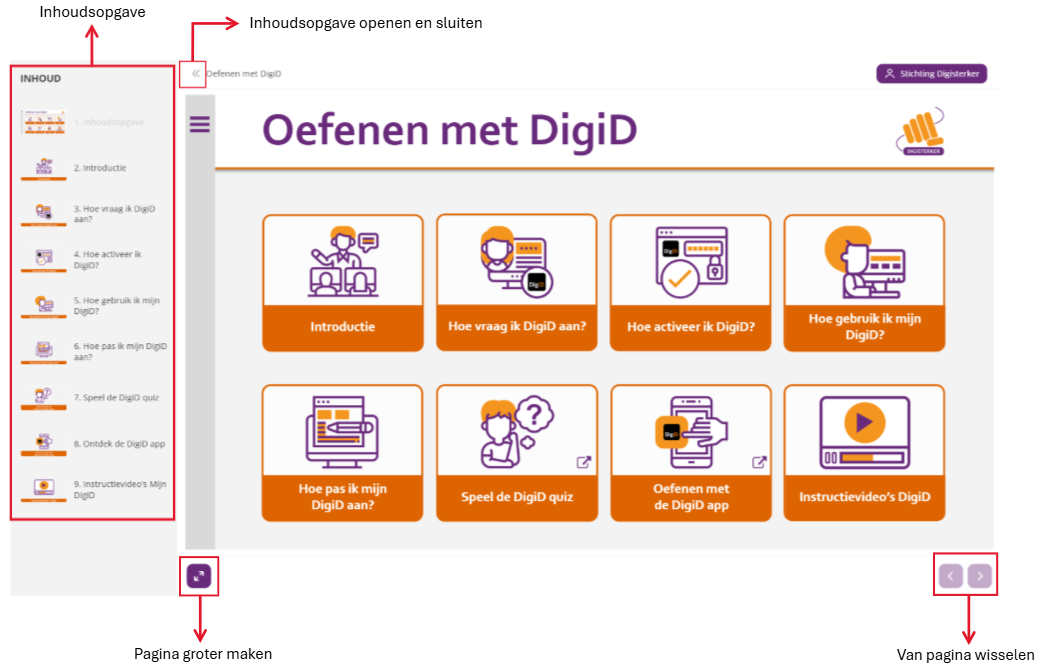
Home / Subjects / DigiD, practice step by step / Practice with DigiD – Explanation of buttons Practice with DigiD – Explanation of buttons Voorlezen Translate Printen Delen WhatsApp E-mail Overview of buttons The following are listed below buttons of the practice environment explained: Vergroot Vergroot Frequently asked questions about DigiD, stap voor stap oefenen Practice updating details in DigiD Practice applying for a DigiD Practice activating DigiD Practice using DigiD Practice with DigiD with explanatory videos Practice installing the DigiD app Practice activating the DigiD app Practice logging in via the DigiD app Practice adding the ID Check in the DigiD app