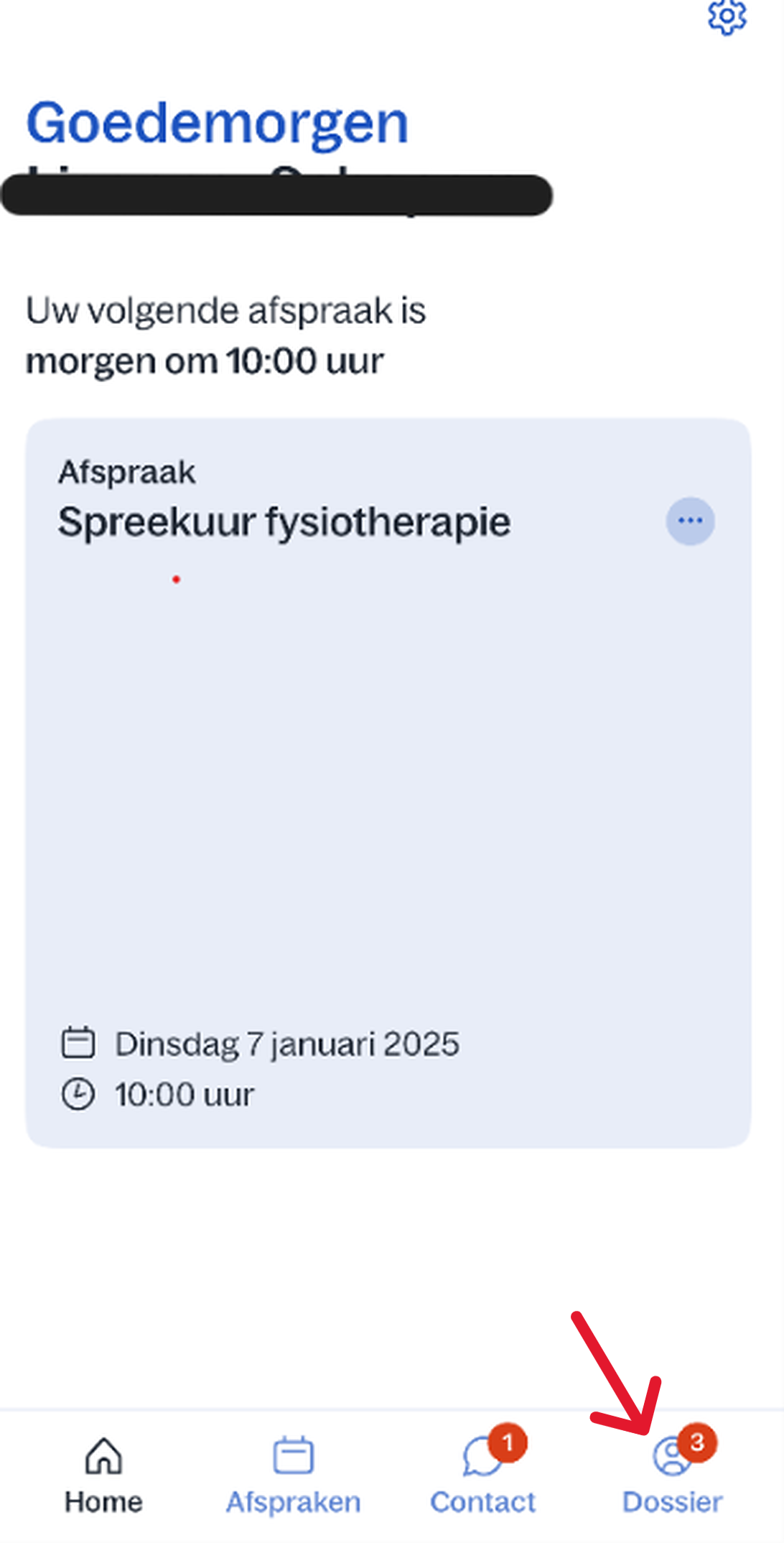
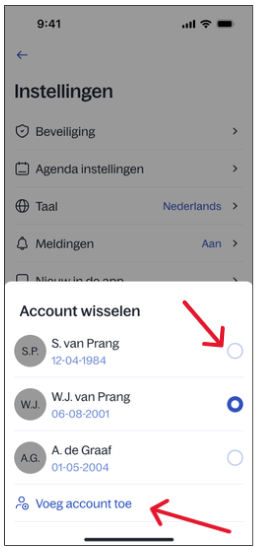
Home / Subjects / Digital care / How do I switch accounts in the Digizorg app? How do I switch accounts in the Digizorg app? Voorlezen Translate Printen Delen WhatsApp E-mail Steps in brief Log in bij de Digizorg app. Go to '‘File'. Go to '‘Institutions‘'. Wissel van account. 1. login Read the explanation about logging in via the app. 2. Ga naar uw dossier Click on '‘File‘'. Vergroot 3. Open uw instellingen Klik op het tandwieltje rechtsboven. 4. Wissel van account Click on '‘Voeg account toe‘ om een of meerdere accounts toe te voegen. click on een ander account om te wisselen van account. Vergroot Frequently asked questions about Digizorg How do I log in to the Digizorg app? How do I view my appointment in the Digizorg app? How do I view medical letters in the Digizorg app? How do I view lab results in the Digizorg app? How do I view brochures in the Digizorg app? How do I view my PGO in the Digizorg app? How can I give someone access to the Digizorg app or view my child's file?