Ga naar de homepagina
The text on this page is translated automatically. Show in original language

How do I activate the Patient Journey App with a personal code?

Steps in brief

  • You will receive an email with a code.
  • Download the Patient Journey App.
  • Open the app and select ‘Personal code‘'.
  • Enter the code and press continue.
  • Install the app.

1. Received your welcome email

You will receive a welcome email with a personal code.

2. Download the Patient Journey App

  • Click on '‘Download your personal app‘in the email.


  • Download the Patient Journey App.

NB: If you have already downloaded the app, the Patient Journey App opens automatically.

Do you need more explanation about downloading an app?
Then click below:

General institutions

Digital self-help
Bekijk onderwerp

3. Enter your personal code

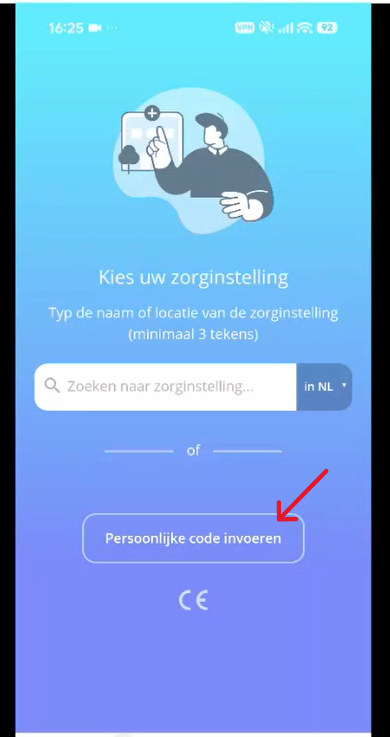
  • Open the app.
  • click on 'Enter personal code'.


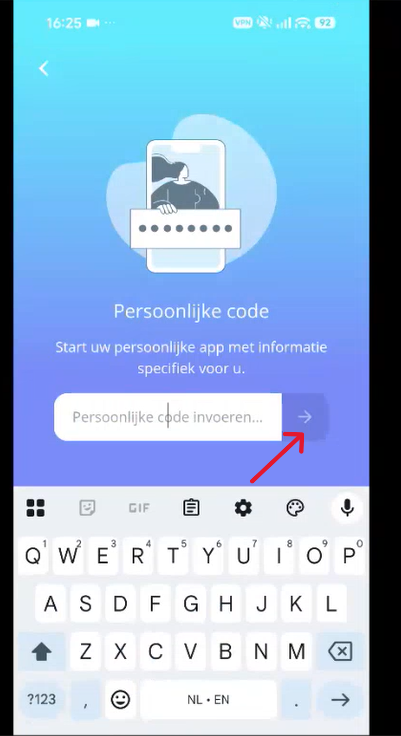
  • Enter your personal code found in the email.
  • Click on the arrow on the right.

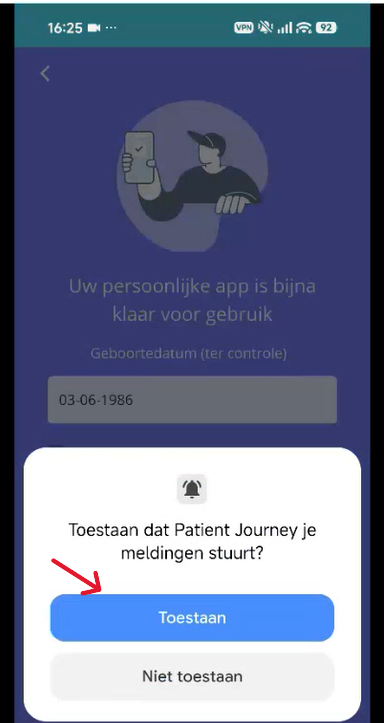
4. Installing the Patient Journey App

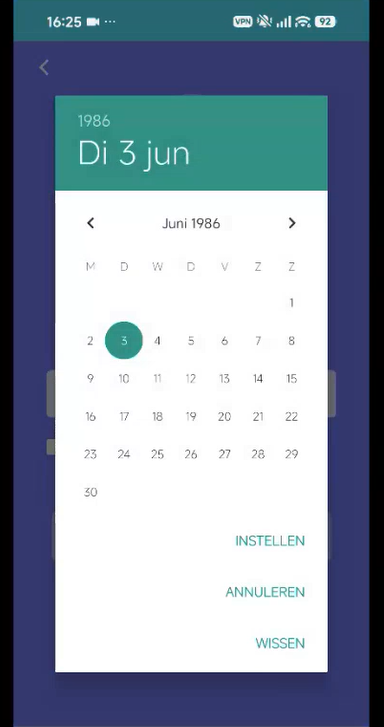
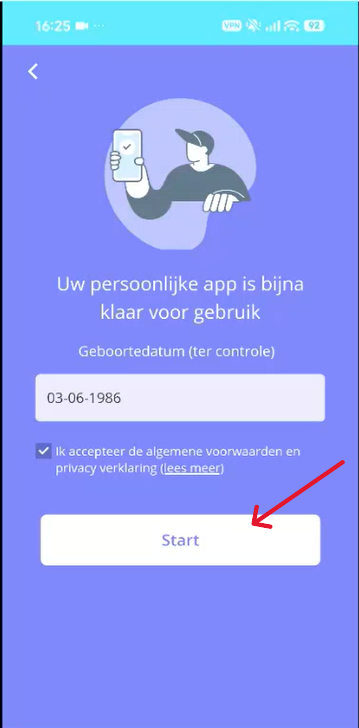
  • Enter your date of birth.

  • Accept the terms and conditions.
  • Click on '‘Start‘'.

  • Allow the notifications.

5. You now have an account

You now have an account with the Patient Journey App.