Ga naar de homepagina
The text on this page is translated automatically. Show in original language

How do I create an account on Spreekuur.nl?

To Spreekuur.nl to use, you can a invitation from your healthcare institution to get. Click here for an explanation on how to accept this.

You can also create an account yourself, without help from a healthcare provider.

Steps in brief

  • Download the app or go to Spreekuur.nl.
  • Choose your organization.
  • Log in with DigiD.
  • Fill in your details.
  • Activate your account.

1. Open the website

  • Open the Spreekuur.nl website and click on ‘Start immediately’.
  • Or download the app and click on ‘Get started.

2. Choose organization

  •  Choose between the GP emergency post or GP practice.
  • Then search for and select your own organization and click on ‘To confirm’.

3. Log in with DigiD

4. Check familiarity

If you are logged in, we check if you are already known to us.
We do this only the first time you log in.

Click on '‘Next.

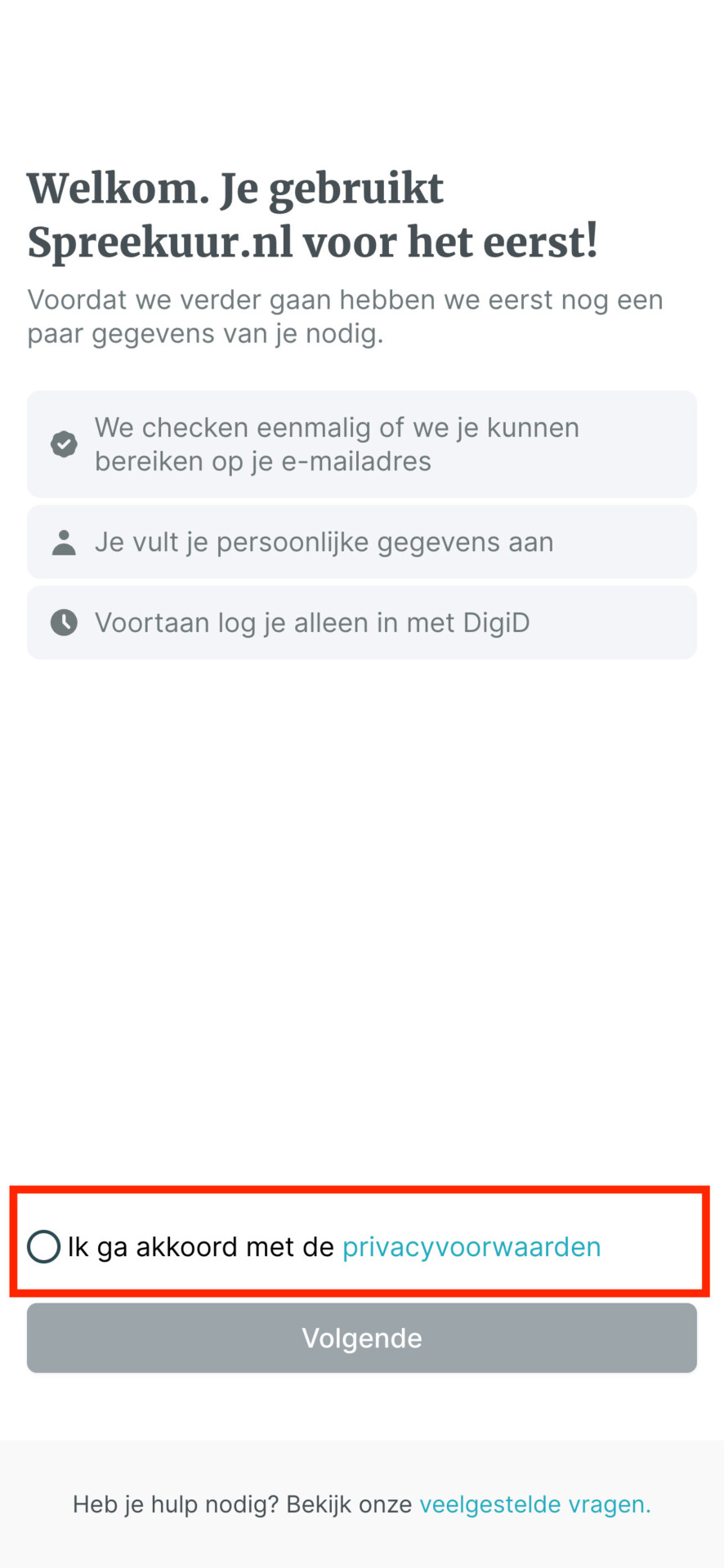
5. Enter your information

  • Fill in your email address in.

  • Agree to the privacy terms.

  • Click on '‘Next.

6. Enter pairing code

  • You will receive a email with a code,
  • Enter this code.
  • Then click on '‘Next‘'.


Fill in data

  • Enter your first and last name.
  • Click on '‘Start’.

7. You now have an account

  • You can now make use of Spreekuur.nl.