Ga naar de homepagina
The text on this page is translated automatically. Show in original language

How do I make an appointment in the ZorgSaam Patient Portal?

Steps in brief

  • Log in to the ZorgSaam Patient Portal.
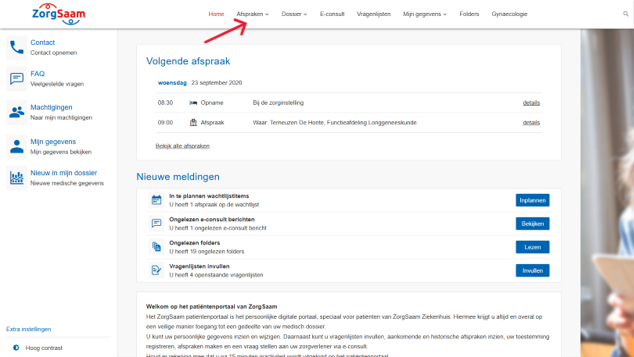
  • Go to '‘Dates‘.
  • Make an appointment.

2. Go to your appointments

  • Click on '‘Dates‘'.

Make an appointment at the laboratory

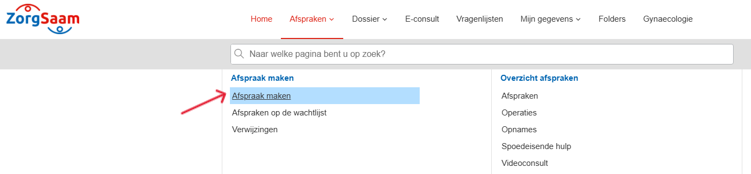
  • Click on '‘Make an appointment‘'.

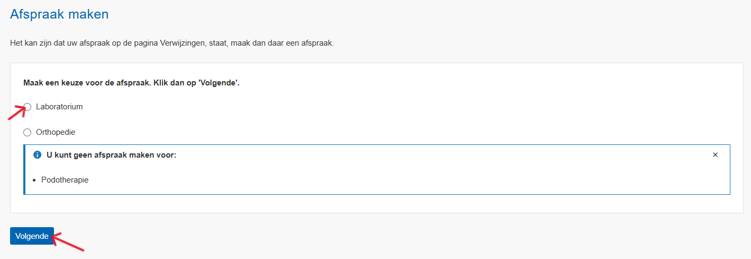
  • Click on '‘Laboratory‘'.
  • Click on '‘Next‘'.

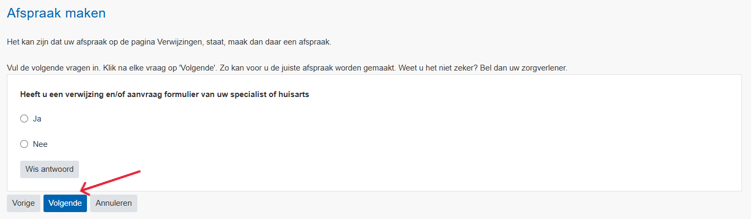
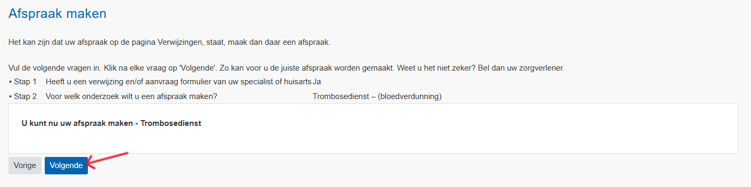
  • Go through all the questions.
  • Click on ' each time‘Next‘'.

  • You are now viewing an overview of your appointment.
  • Click on '‘Next‘'.

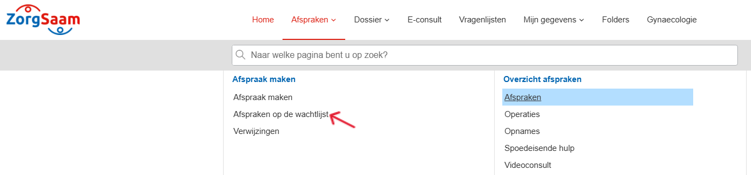
Make an appointment with another department

  • Click on '‘Appointments on the waiting list’.

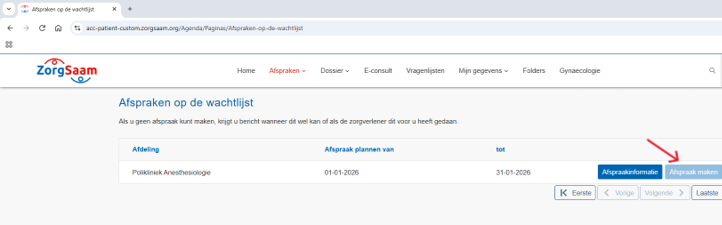
NB: You can only make an appointment if you have a referral from your general practitioner or specialist.

The button '‘Make an appointment’' is only clickable if you can schedule an appointment online yourself. Is the button not blue? Then your healthcare provider will schedule the appointment for you.

Would you like to know for which departments you can make an appointment online? Then view the page: Make, change, and cancel appointments digitally ↗.

  • Click on '‘Make an appointment‘'.


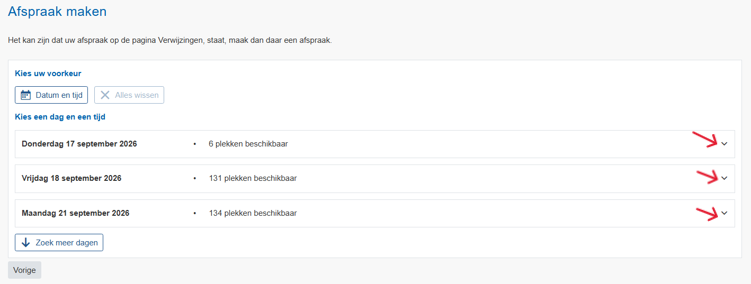
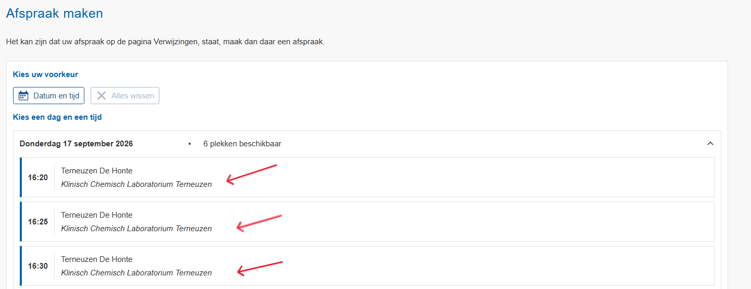
3. Choose day and time

  •  Click on the arrow to view the available times.

  • Click on the correct time.

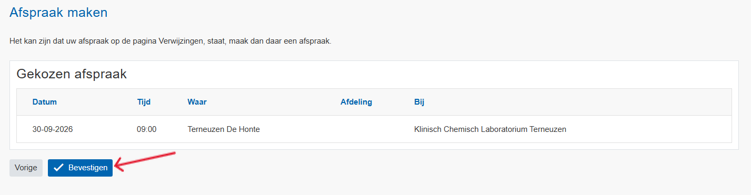
4. Confirm the appointment

Click on '‘To confirm‘to make the appointment.