You can try the following:
- Check the spelling
- Try another search

1. Log in to the ZorgSaam Patient Portal.
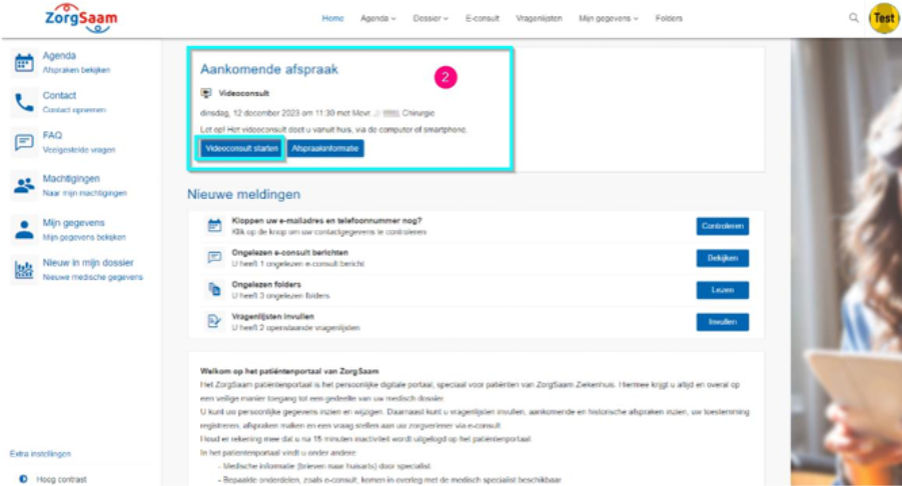
2. The video consultation is listed on the homepage at Upcoming appointment.
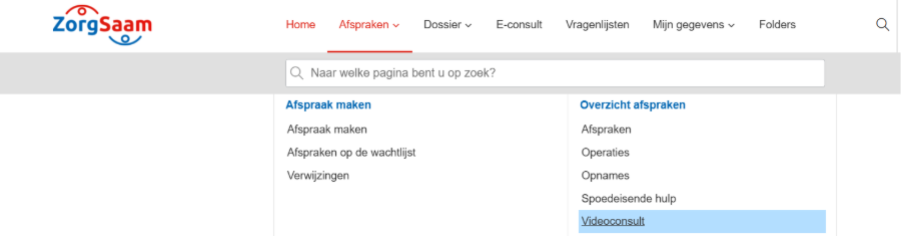
3. The video consultation can also be found via Appointments > Video consultation.
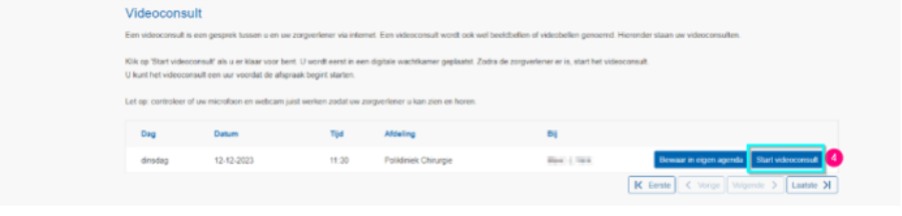
4. Click on ' next to the appointment‘Start video consultation’.
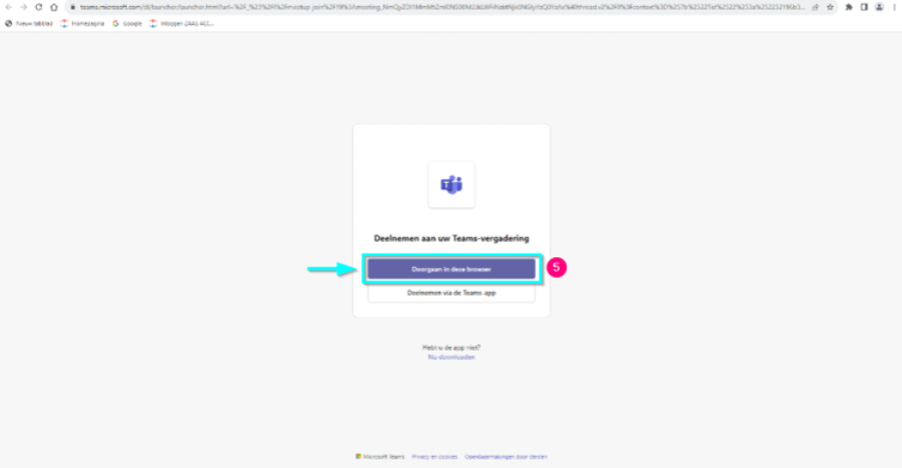
5. Microsoft Teams opens in a new tab. Click on '‘Continue in this browser’.
Have you been invited for a video consultation? Then follow these steps:
Go to the patient portal via https://patient.zorgsaam.org and log in with DigiD.
On the homepage, the video consultation is listed under 'Upcoming appointment'. Click on '‘Start video consultation‘'.
The video consultation can also be found under the menu at Appointments > Video consultation.
To schedule the video consultation, you will see the button ' on the right.‘Start video consultation‘Click here to start the video consultation.
After clicking this button, Teams opens with '‘Join the conversation‘' in a new tab. Click on ' on this screen.‘Continue in this browser‘'.
View the page about the topic Teams for the next steps and more explanation about Teams.