Ga naar de homepagina
The text on this page is translated automatically. Show in original language

How do I activate the Patient Journey App with a personal code?

Steps in brief

  • U ontvangt een mail met een code.
  • Download the Patient Journey App.
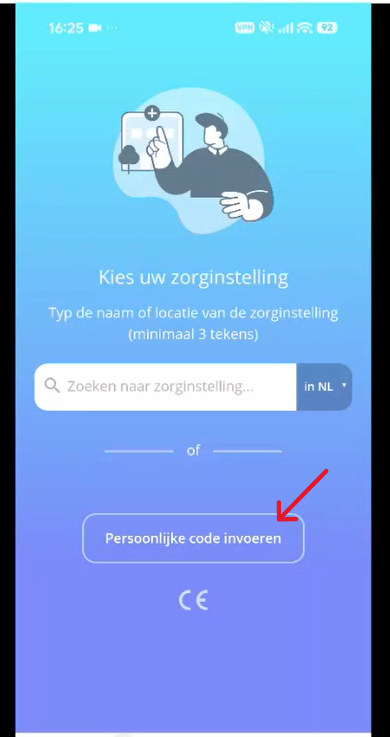
  • Open de app en selecteer ‘Persoonlijke code‘'.
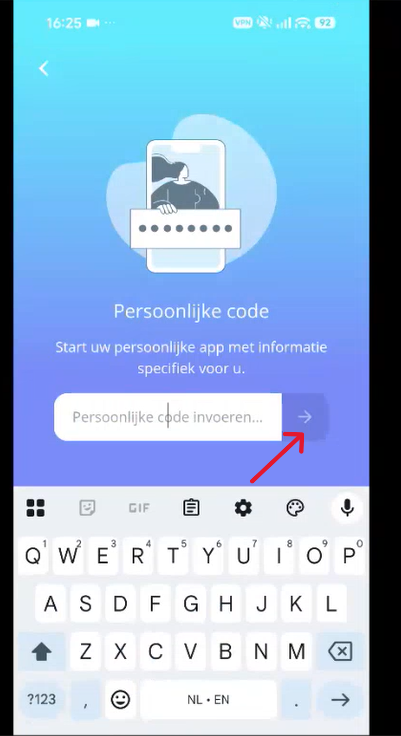
  • Vul de code in en druk op verder.
  • Install the app.

1. Uw welkomstmail ontvangen

U ontvangt een welkomstmail met een persoonlijke code.

2. Download the Patient Journey App

  • Click on '‘Download uw persoonlijke app‘ in de mail.


  • Download the Patient Journey App.

NB: Als u de app al gedownload hebt opent de Patient Journey App vanzelf.

Do you need more explanation about downloading an app?
Then click below:

General institutions

Digital self-help
Bekijk onderwerp

3. Uw persoonlijke code invoeren

  • Open the app.
  • click on 'Enter personal code'.


  • Vul uw persoonlijke code die in de mail staat in.
  • Klik op het pijltje rechts.

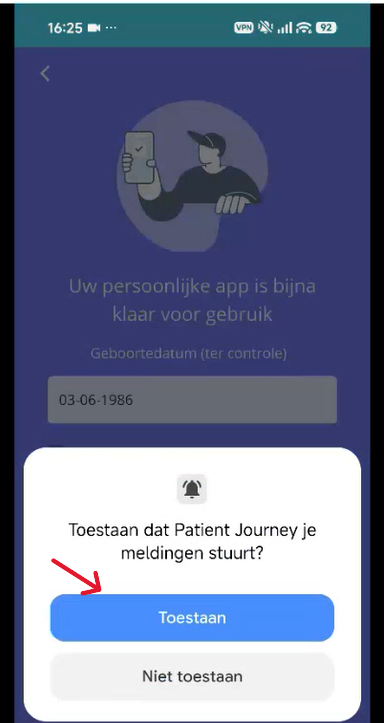
4. Installing the Patient Journey App

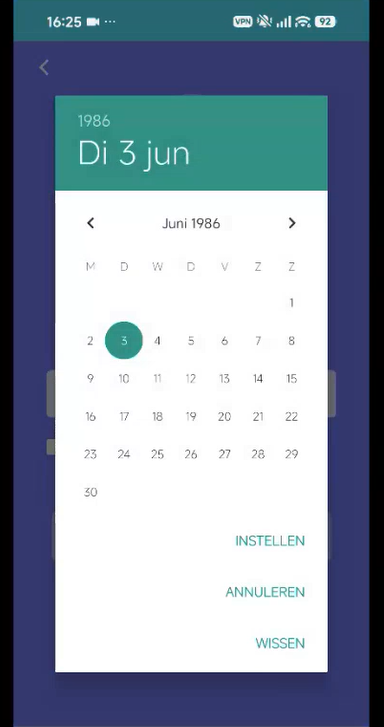
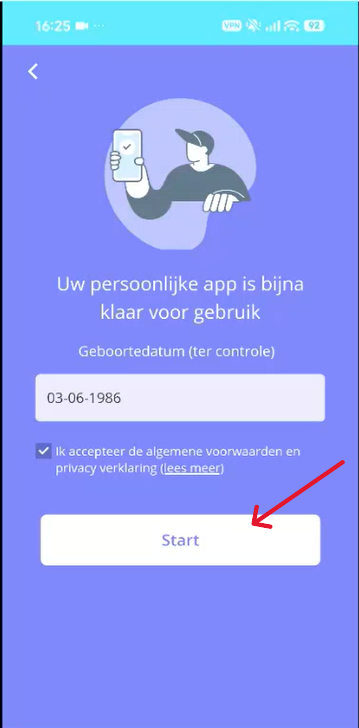
  • Vul uw geboortedatum in.

  • Accept the terms and conditions.
  • Click on '‘Start‘'.

  • Sta de meldingen toe.

5. You now have an account

You now have an account with the Patient Journey App.