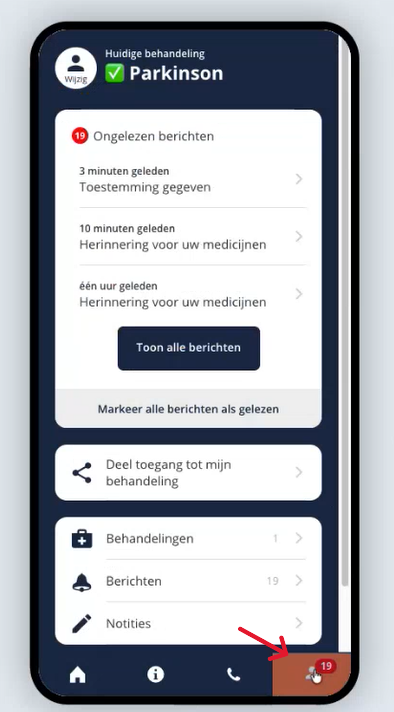
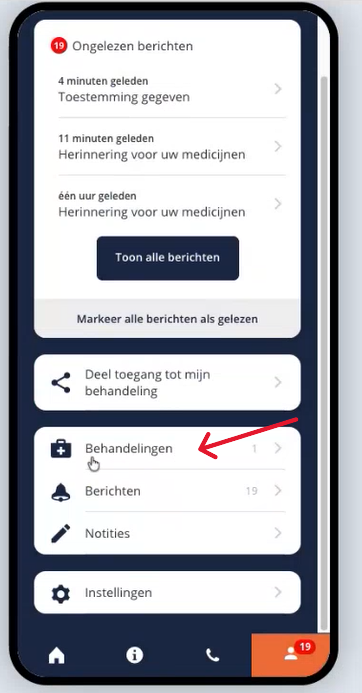
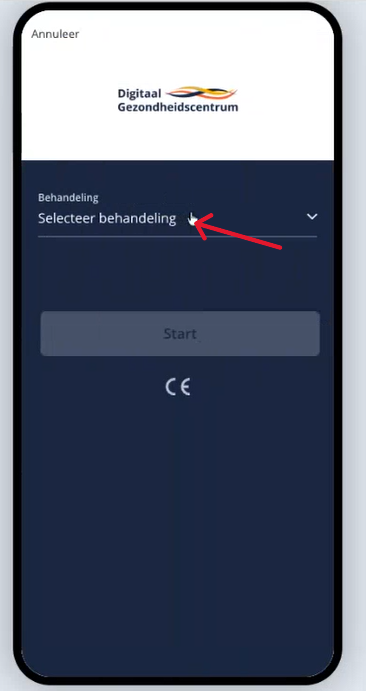
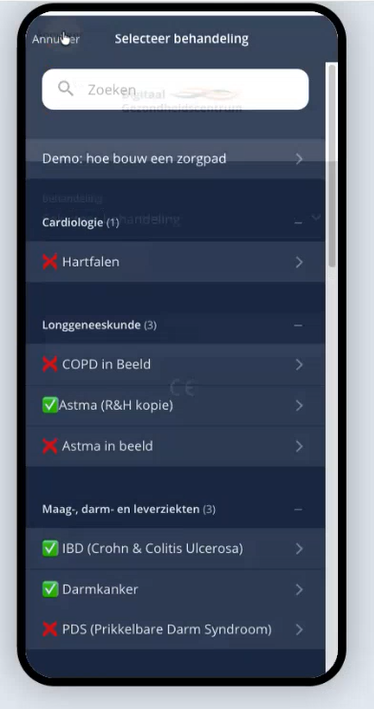
Home / Subjects / Patient Journey App / How can I add a new treatment to the Patient Journey App? How can I add a new treatment to the Patient Journey App? Voorlezen Translate Printen Delen WhatsApp E-mail Steps in brief Log in to the Patient Journey App. Go to ‘Profile’. Go to ‘Treatments’. View your treatments, add a treatment, or switch between your treatments. 1. login Click on this link for an explanation about logging in with a personal code. Click on this link for an explanation about logging in without a personal code. 2. Go to your profile Click on your profile button. Vergroot 3. Going to your treatments Click on '‘Treatments‘'. Vergroot 4. Add a new treatment click on ‘Select treatment‘'. Vergroot Choose the right treatment. Vergroot 5. You have added a treatment You have now added a treatment to the Patient Journey App. Frequently asked questions about Patient Journey App How does the Patient Journey App work? What can I do if the Patient Journey App is not working? How do I activate the Patient Journey App with a personal code? How do I activate the Patient Journey App without a personal code?