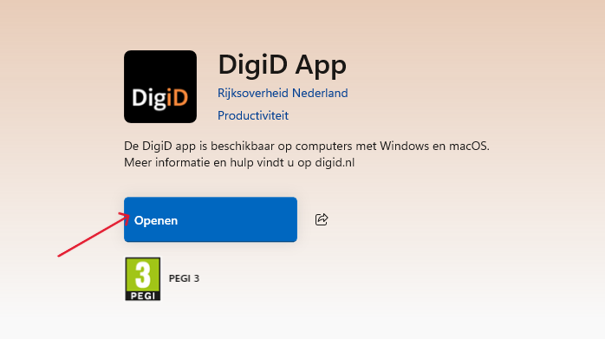
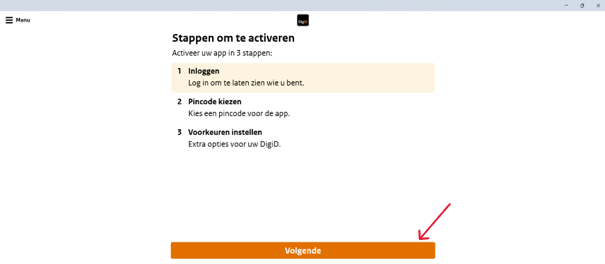
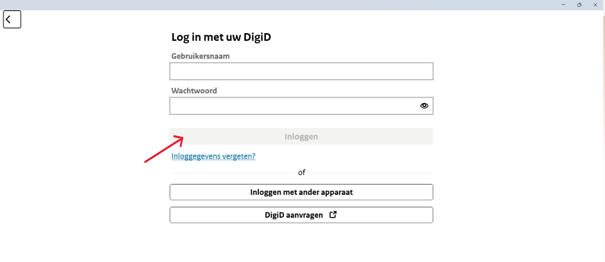
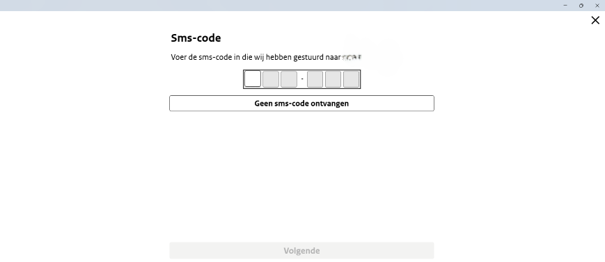
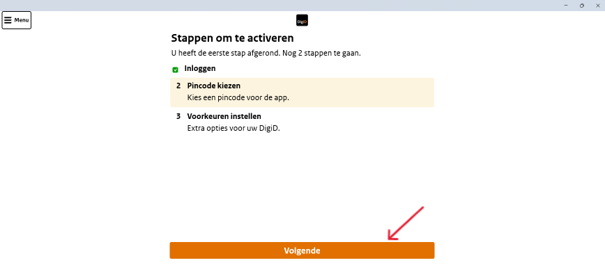
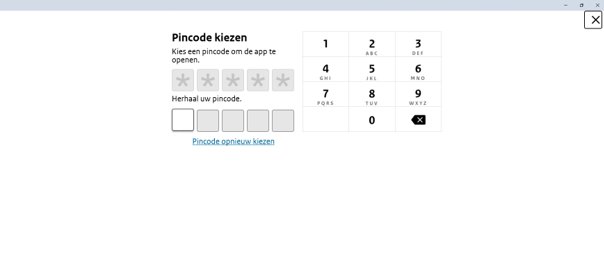
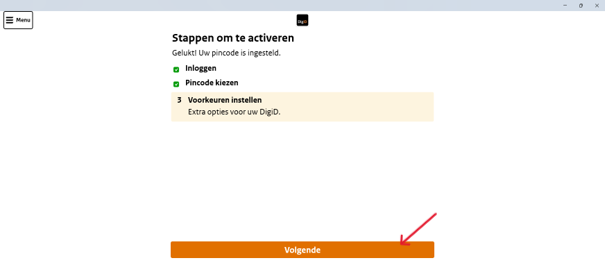
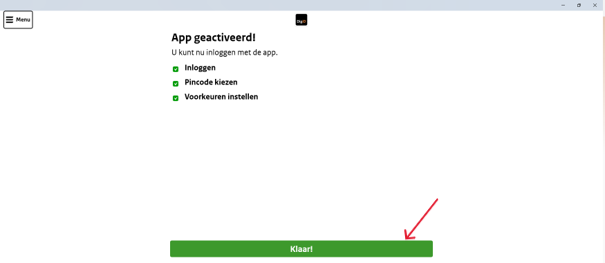
Home / Subjects / DigiD / How do I download and install the DigiD app on my computer? How do I download and install the DigiD app on my computer? Voorlezen Translate Printen Delen WhatsApp E-mail Steps in brief Download the DigiD app on your computer. Open the DigiD app. Log in with your username and password. Verify your identity with an SMS code. Choose a PIN code. Check your email address. The DigiD app is now activated. 1. Download the DigiD app Open the Store on your laptop. Search for '‘DigiD app‘'. Click on '‘To download‘'. Wait until the download is finished. Click on '‘Open‘to start the DigiD app. Vergroot 2. Log in with your DigiD Click on '‘Next‘'. Vergroot Log in with your DigiD username and password. Click on '‘login‘'. Vergroot 3. Verify your identity with an SMS code You will automatically receive an SMS code on your phone. Open the SMS message. Enter the SMS code on your computer. Vergroot 4. Choosing a PIN code for the DigiD App Click on '‘Next‘'. Vergroot Choose a PIN code. Fill this in again. You will use this code to log in from now on. Vergroot 5. Verify your email address Click on '‘Next‘'. Vergroot Indicate whether the email address is still correct. Click on '‘Yes‘'. 6. Activate the DigiD app The DigiD app has been activated. Click on '‘Finished‘'. Vergroot Frequently asked questions about DigiD How do I log in to DigiD with the DigiD app on my computer? How does CheckID for DigiD work? What is the annual ID check with DigiD and how does it work? How do I perform the annual DigiD ID check? In what ways can I log in with my DigiD? How do I log in to my child's patient portal with DigiD? How do I activate the DigiD app without NFC? How do I log in to DigiD with SMS verification? How do I log in to DigiD with the DigiD app on my phone? How do I log in to DigiD with a driver's license or identity card? How do I activate the DigiD app on my phone? How does authorizing via DigiD work?