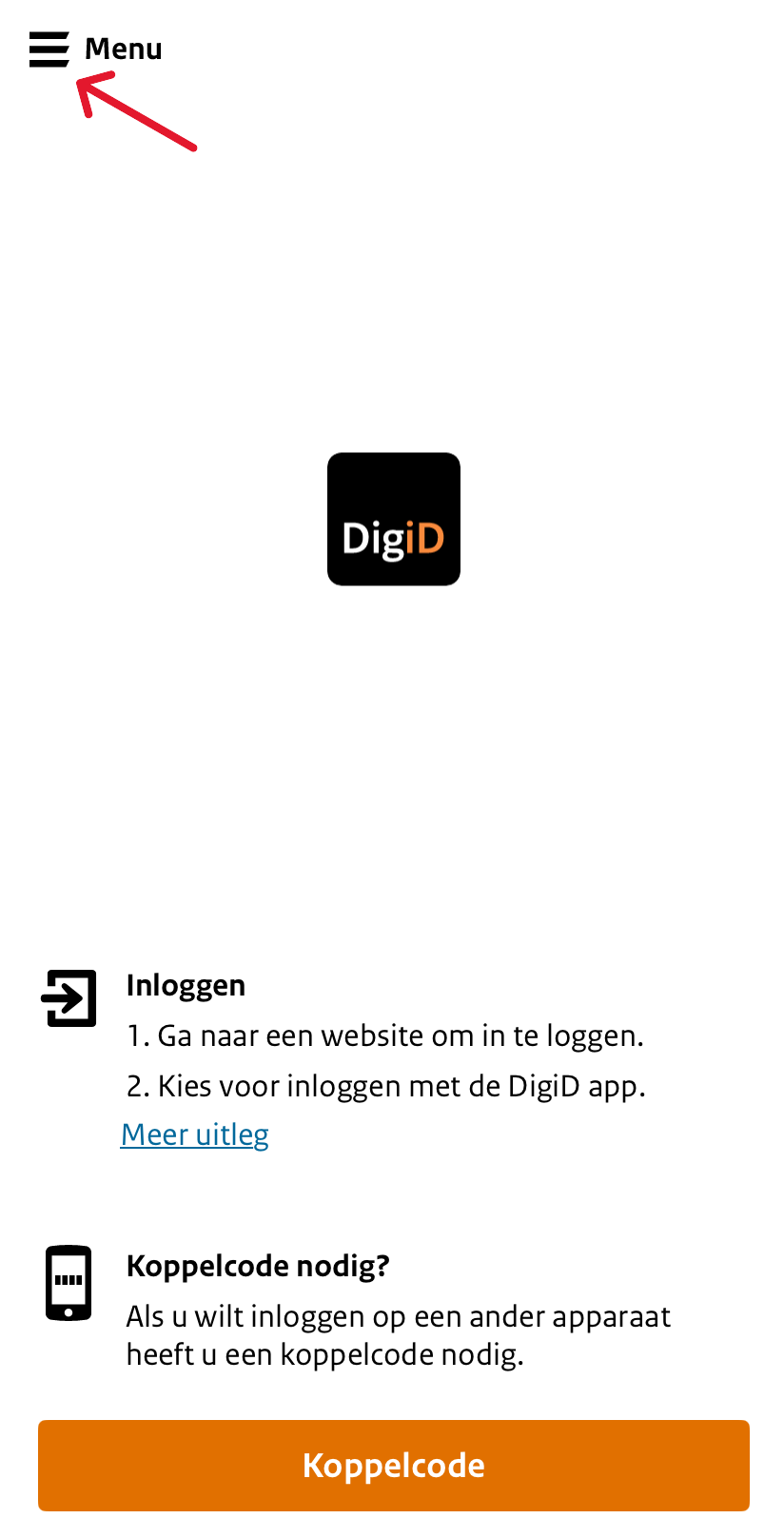
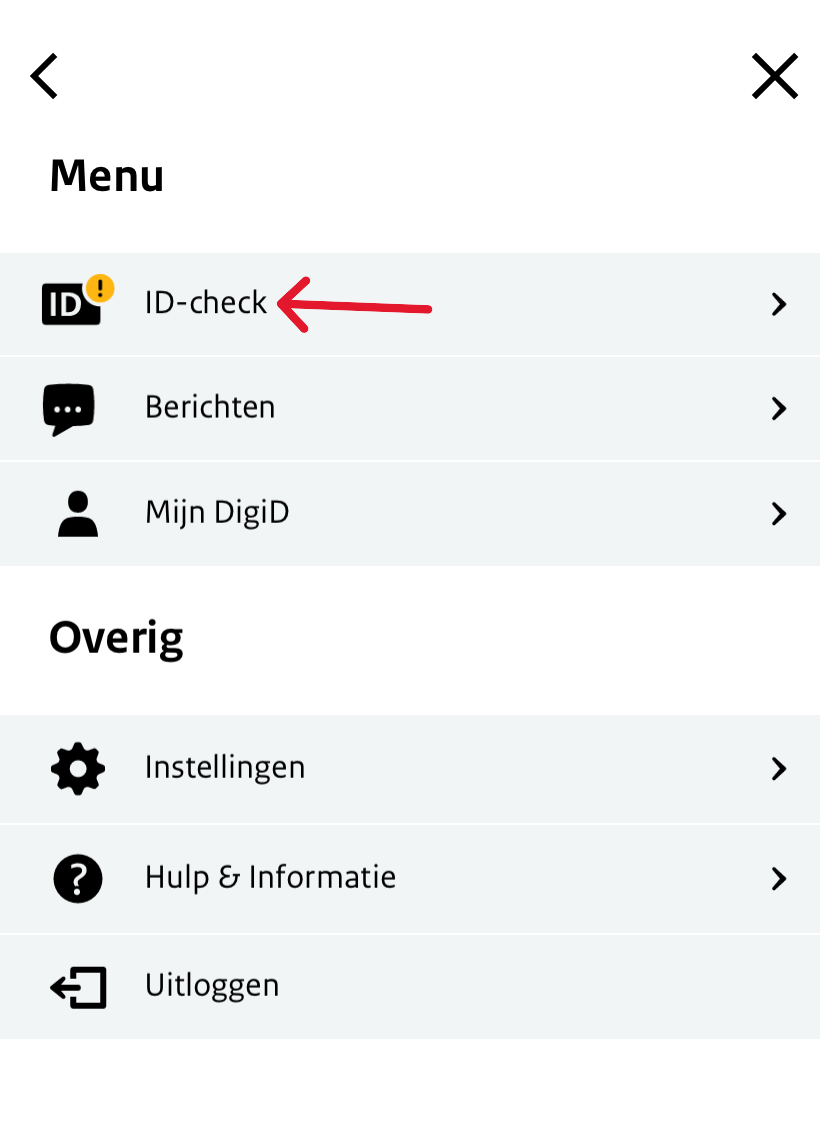
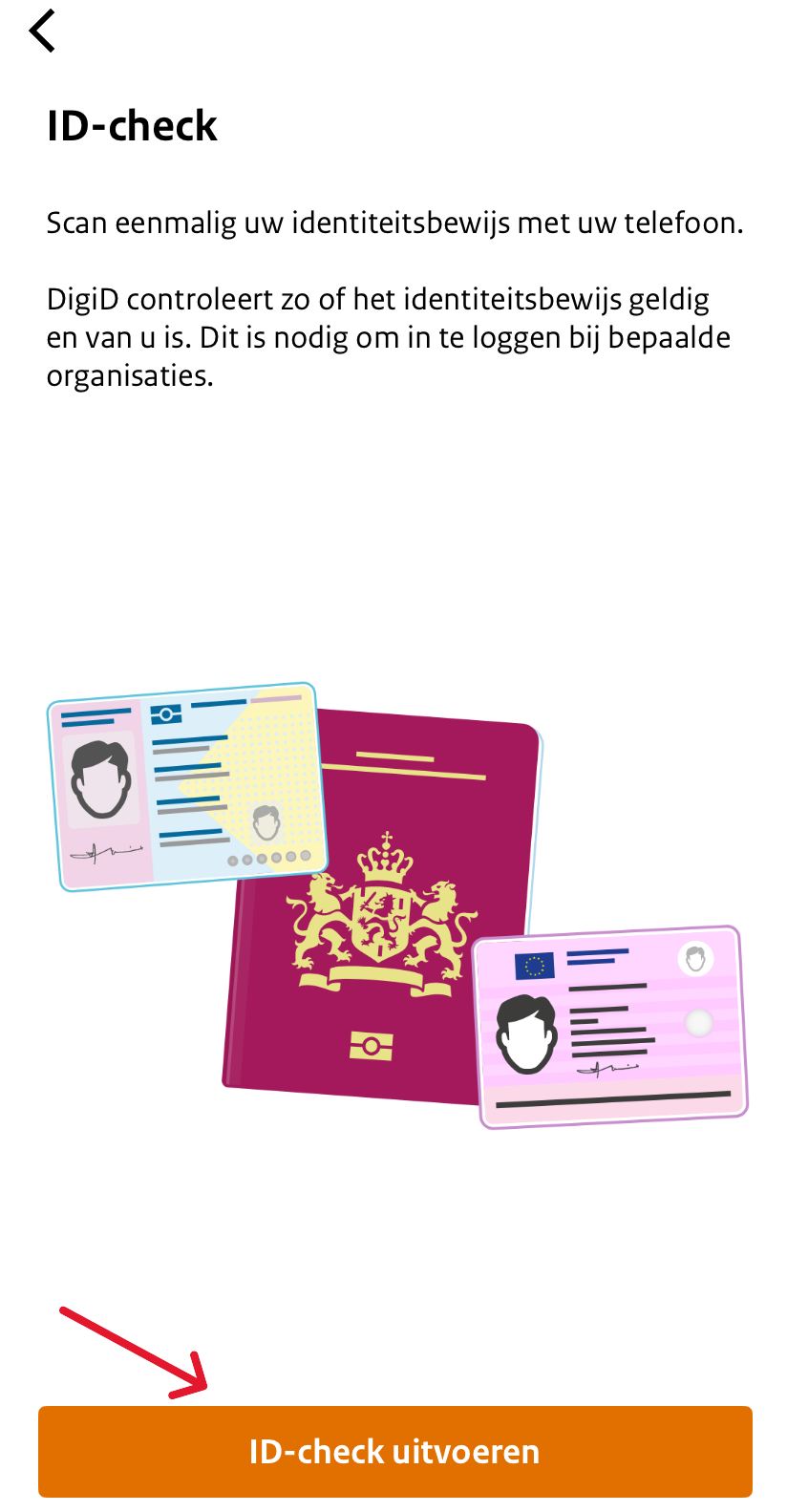
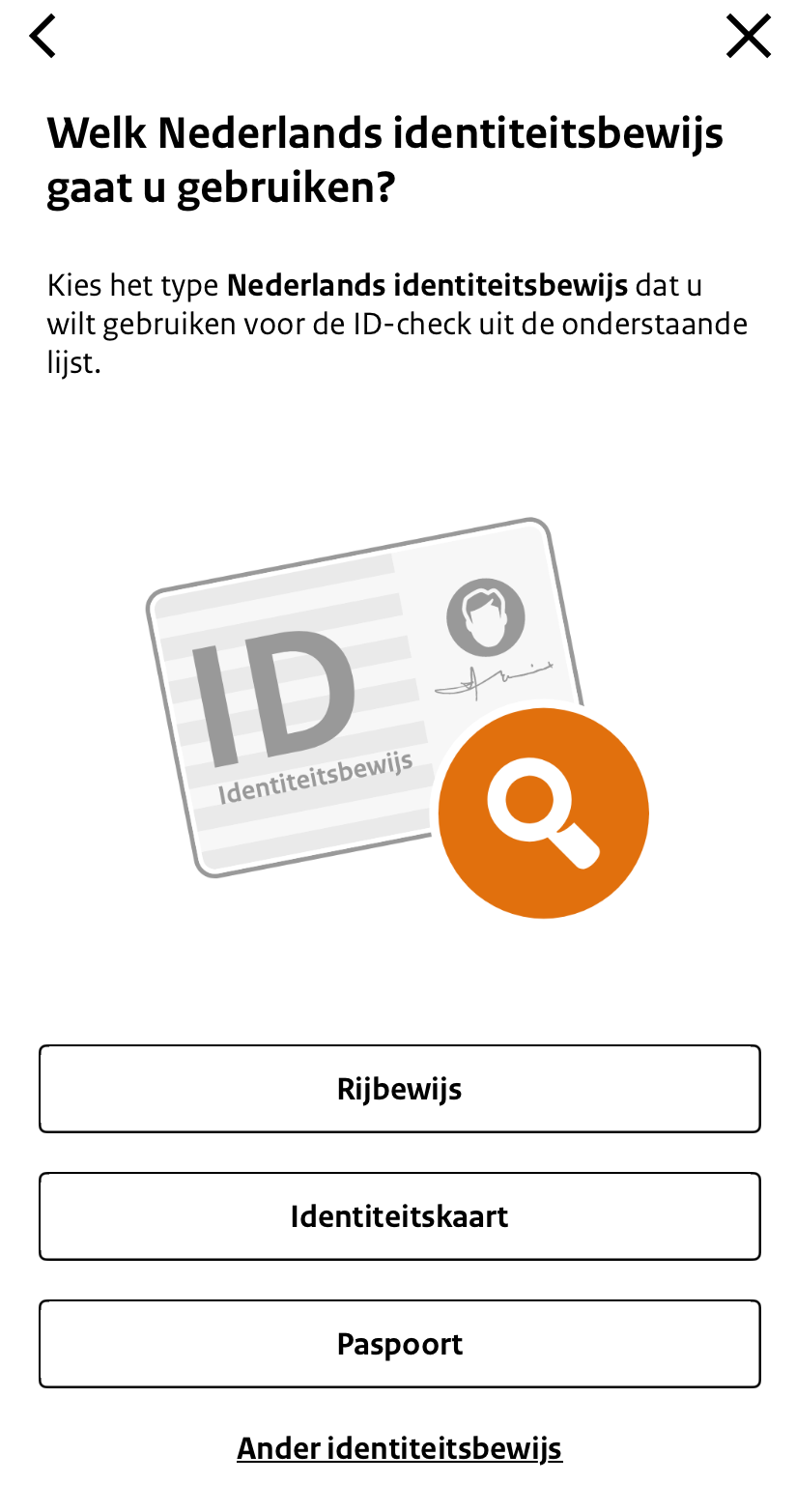
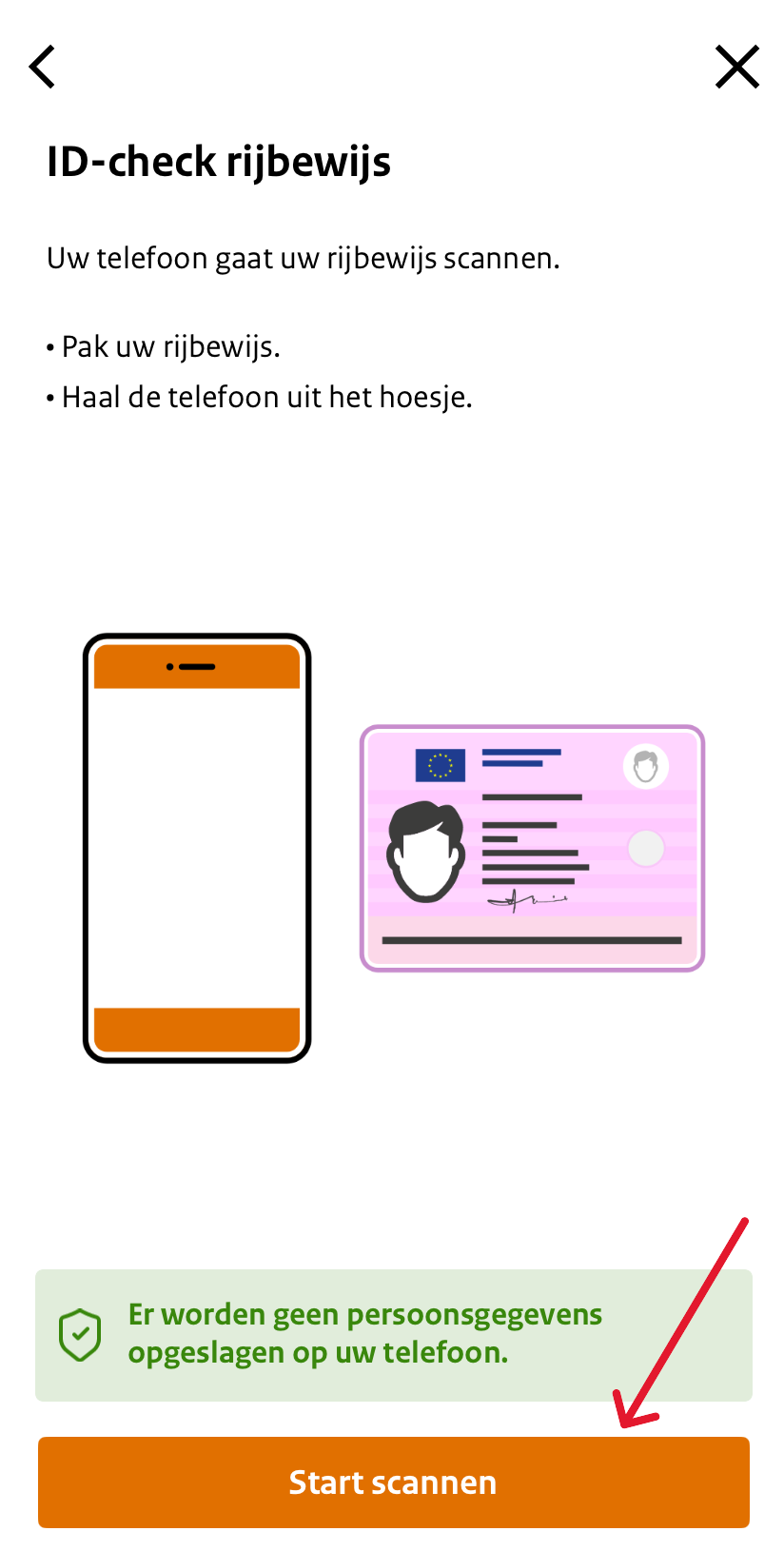
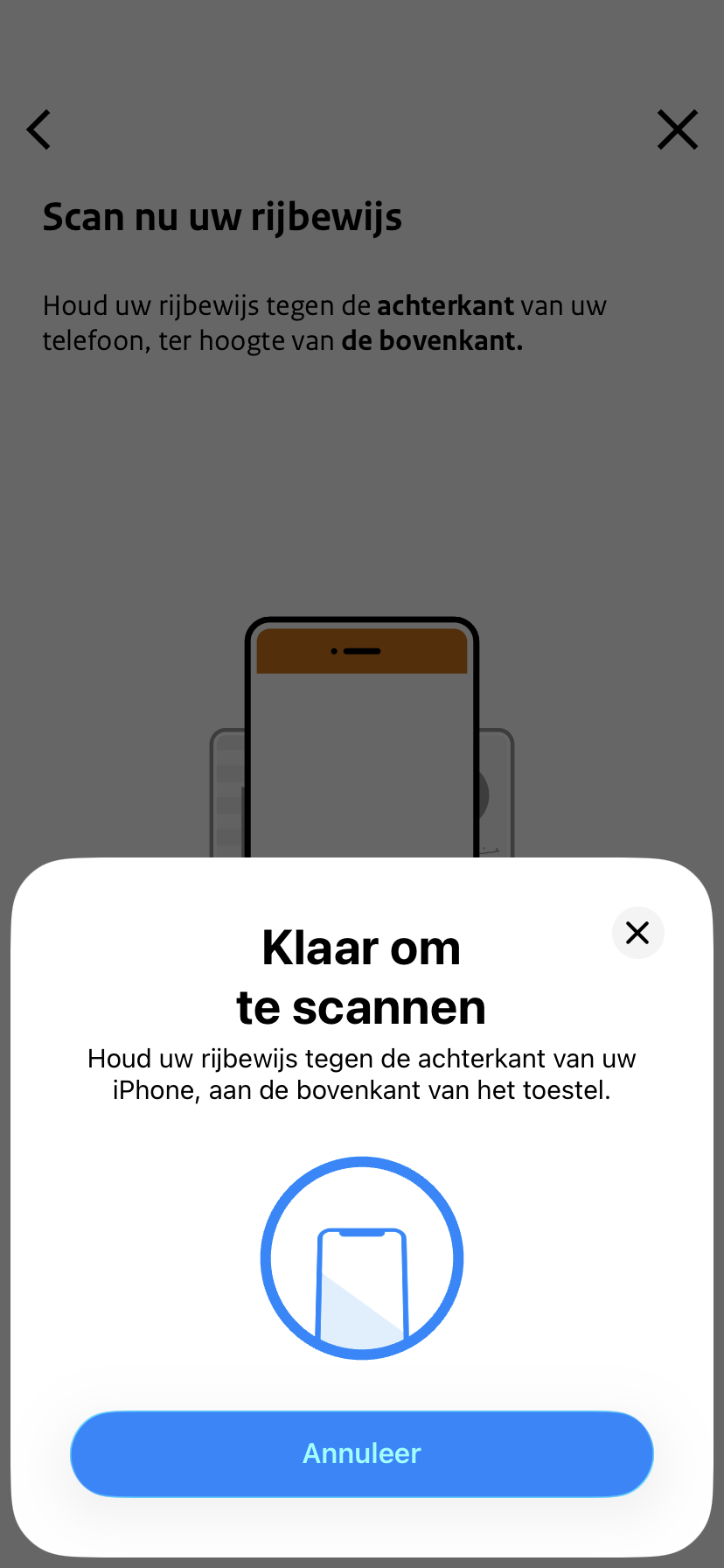
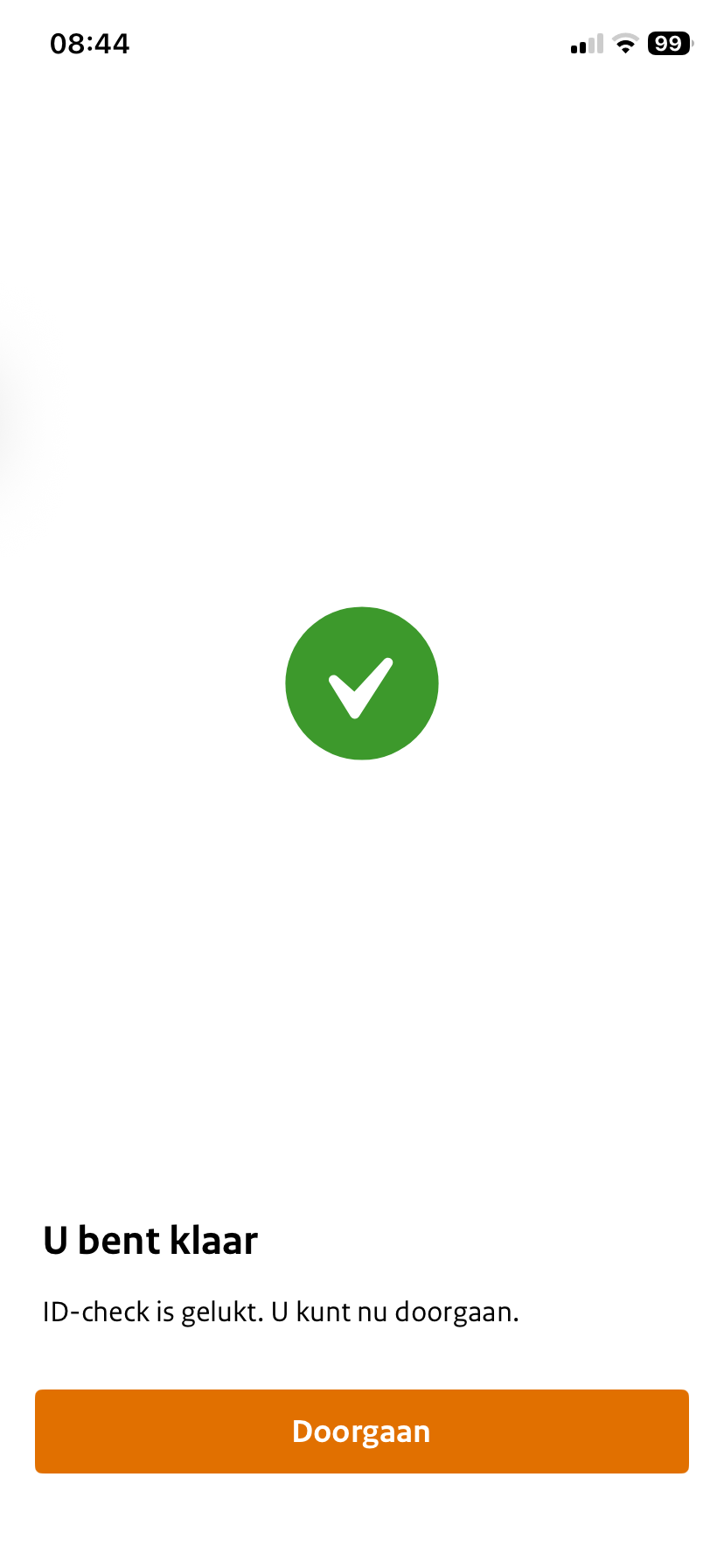
Home / Subjects / DigiD / How do I perform the annual DigiD ID check? How do I perform the annual DigiD ID check? Voorlezen Translate Printen Delen WhatsApp E-mail Steps in brief Open the DigiD app and log in. Go to the ID check. Scan your Dutch identity document. 1. Open the DigiD app Open the DigiD app on your phone. Log in with your PIN or Face ID. Need help downloading the DigiD app? Click on the topic below for an explanation. General institutions Digital self-help 2. Start the ID check Click on '‘Menu‘'. Vergroot Click on '‘ID check‘'. Vergroot Click on '‘Perform ID check‘'. Vergroot 3. Scanning the identity document Choose the Dutch identity document that you want to scan. Vergroot Click on '‘Start scanning‘'. Vergroot Hold your ID against the back of your phone. Vergroot Wait until the message appears that the ID check was successful. Vergroot Frequently asked questions about DigiD How do I download and install the DigiD app on my computer? How do I log in to DigiD with the DigiD app on my computer? How does CheckID for DigiD work? What is the annual ID check with DigiD and how does it work? In what ways can I log in with my DigiD? How do I log in to my child's patient portal with DigiD? How do I activate the DigiD app without NFC? How do I log in to DigiD with SMS verification? How do I log in to DigiD with the DigiD app on my phone? How do I log in to DigiD with a driver's license or identity card? How do I activate the DigiD app on my phone? How does authorizing via DigiD work?